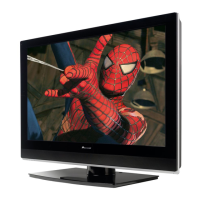
PDP-427XD
181
5678
56
7
8
C
D
F
A
B
E
Remote control unit
Point the remote control at the plasma television to operate.
1
Turns on the power to the plasma television or places it into the
standby mode.
2INPUT
Selects an input source of the plasma television. (INPUT 1, INPUT
2
30 -9
TV/External input mode: Selects a channel.
TELETEXT mode: Selects a page.
4
TV/External input mode: Displays the channel information.
5 P+/P-
TV/External input mode: Selects a channel.
/
TELETEXT mode: Selects a page.
6
Sets the sound multiplex mode.
7 RETURN
Restores the previous menu screen.
8
»/«/|/\
Selects a desired item on the setting screen.
ENTER
Executes a command.
9 Colour (RED/GREEN/YELLOW/BLUE)
TELETEXT mode: Selects a page.
10
TV/External input mode: Jumps to the Teletext subtitle page.
11
Displays hidden characters.
12
TV/External input mode: Selects the screen size.
TELETEXT mode: Switches Teletext images. (full/upper half/lower
half)
13
TV/External input mode: Freezes a frame from a moving image.
Press again to cancel the function.
TELETEXT mode: Stops updating Teletext pages. Press again to
release the hold mode.
14
Sets the volume.
15
Mutes the sound.
16 HOME MENU
TV/External Input mode: Displays the Menu screen.
17
Selects the TELETEXT mode (all TV image, all TEXT image, TV/TEXT
image).
18
TELETEXT mode: Displays an Index page for the CEEFAX/FLOF
format. Displays a TOP Over View page for the TOP format.
1
2
3
4
6
7
8
9
10
11
12
13
14
15
16
17
18
5
, INPUT 3, INPUT 4)
+/ –
• Remote control unit (PDP-4270XA)



 To Next Page
 Loading...