13
> Before Start > Part Names > Install > Initial Setup >Playback
Advanced Setup | Firmware Update | Others
Power On & Initial Setup
Initial Setu p
1
3
2
BLUEBLINKING
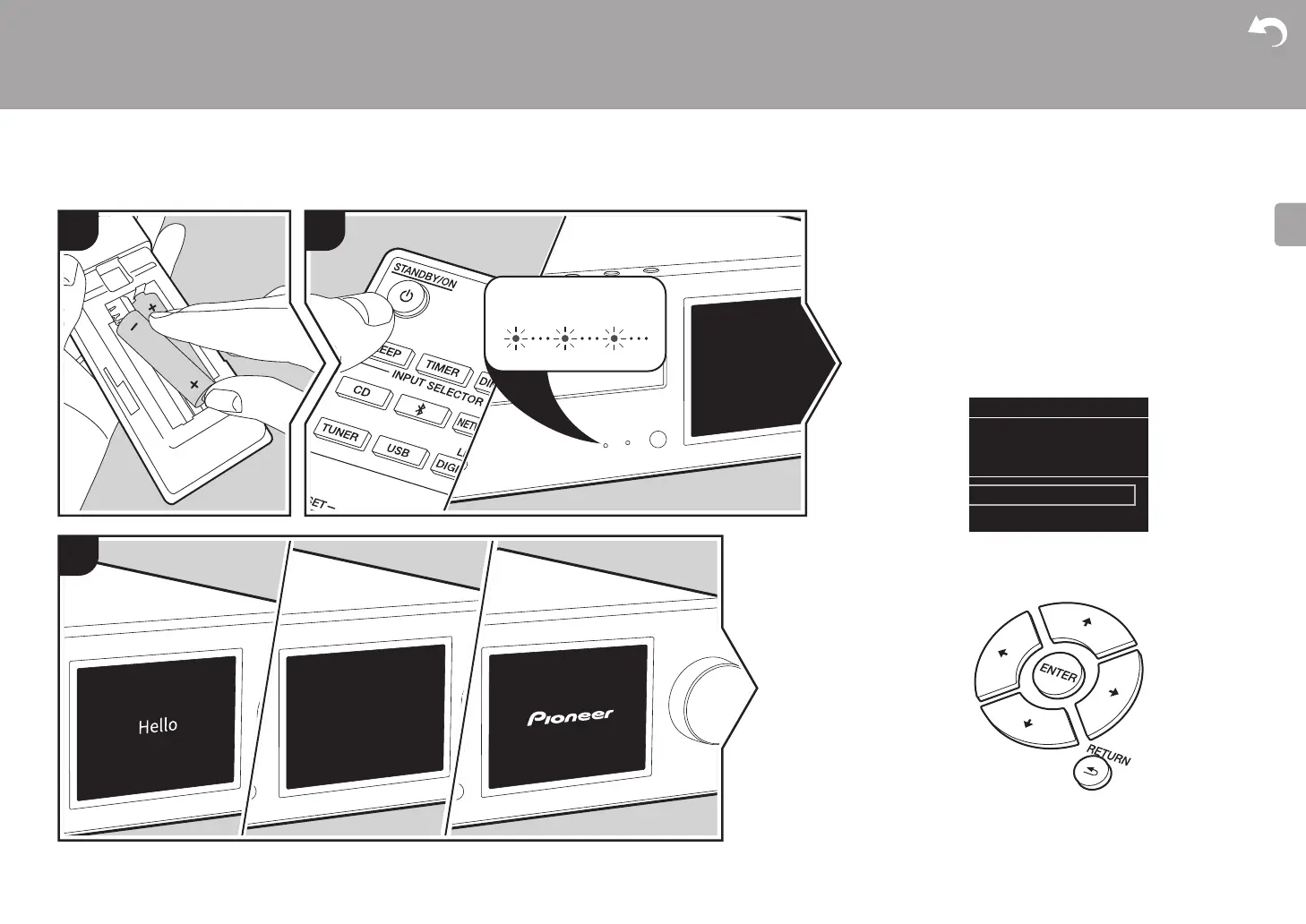
Starting up: When you press Í STANDBY/ON, the power
indicator on the main unit slowly blinks blue, then "Hello" is
displayed on the display about 20 seconds later. After this,
the display goes blank, then after the Pioneer logo is
displayed, you can start operating the unit.
Wi-Fi connection settings
When you first turn the power on, the initial setup screen is
displayed automatically, allowing you to easily make Wi-Fi
connection settings.
To set, select the item with the cursors on the remote
controller and press ENTER to confirm. To return to the
previous display, press RETURN.
Initial Setup
Wired (Exit)
Wi-Fi
Selects the method of network
connection


 To Next Page
 Loading...