72
XR-A6800, XR-A4800
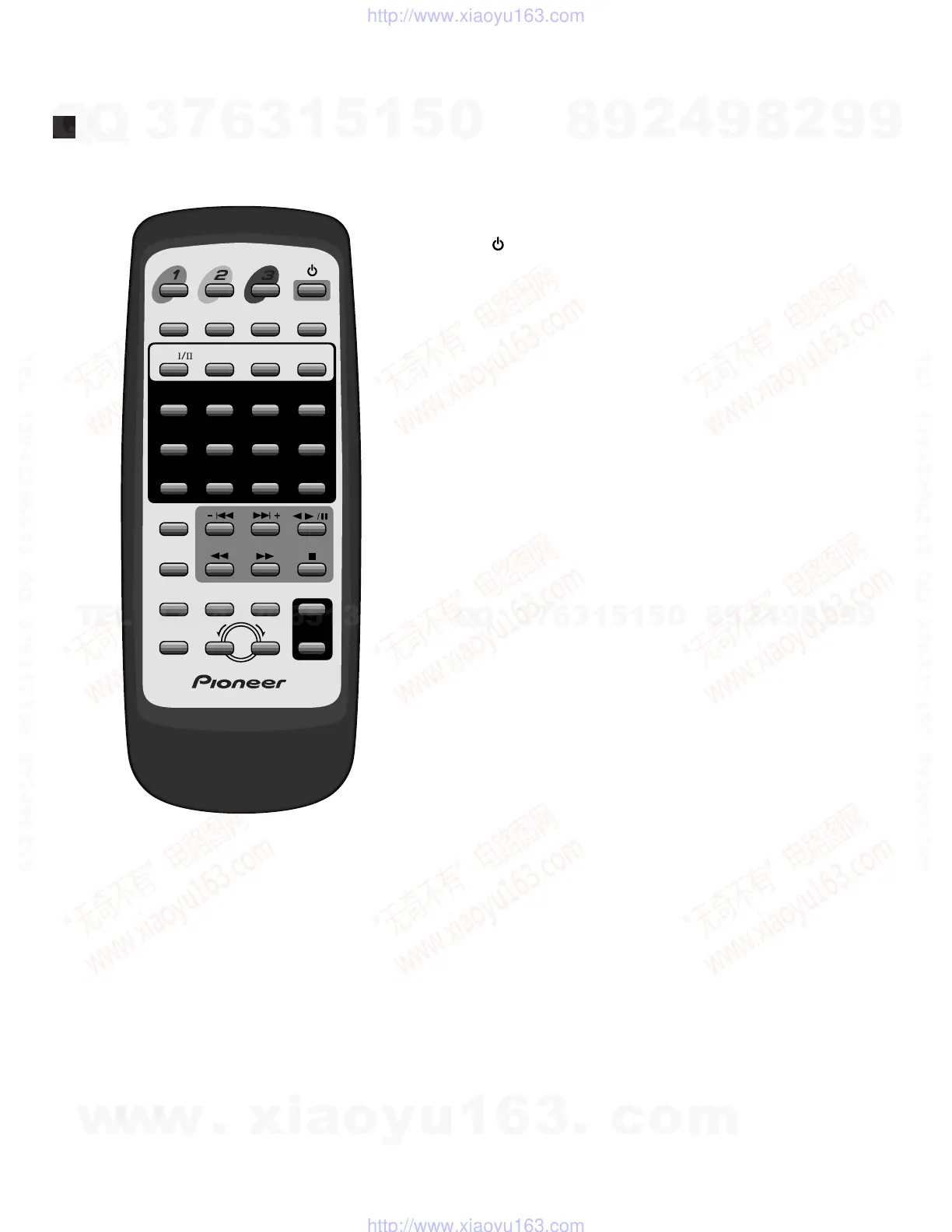
To learn about the function of a particular button,
look up the name of the button in the following
alphabetical list (buttons marked with symbols
appear first).
Press to switch the system on or into standby.
7 (Stop)
2
6 (Play/pause/reverse)
1 (Reverse scan/fast rewind/radio tuning)
¡ (Forward scan/fast forward/radio tuning)
– 4 (Reverse track skip/music search/preset
station select)
¢ + (Forward track skip/music search/preset
station select)
>10
Use to select numbers over 10 (press this button,
then input the number using the other number
buttons).
10/0
Use as zero or 10 when entering numbers (for
track numbers and station presets).
1–9
Number buttons (for track numbers and station
presets).
A AUDIO/SURROUND
AUX
CCD
CLEAR
Press to delete the most recently programmed
track.
D DISC-1/2/3
DISC CHANGE
DISPLAY
J JOG
Use to morph between sound settings, and when
setting the clock or timer.
K KARAOKE
M MONO (SHIFT & 7)
MORPHING
MUTE
O OPEN/CLOSE
P PROGRAM
R RANDOM (SHIFT & 9)
REPEAT (SHIFT & 8)
S SHIFT
Use to access secondary functions on the remote
control.
SLEEP
T TAPE I/II
TUNER/BAND
V VOLUME +/–
Use to adjust the overall volume level.
Remote Control Unit
DISC DISC DISC
OPEN/CLOSE
KARAOKE
MUTE
AUDIO/
SURROUND
SHIFT
MORPHING
DISPLAY
VOLUME
+
–
DISC CHANGE
SLEEP
PROGRAM
MONO REPEAT
JOG
RANDOM
TAPE
TUNER/BAND
AUX CD
123
CLEAR
456
>
10
789
10/0
w
w
w
.
x
i
a
o
y
u
1
6
3
.
c
o
m
Q
Q
3
7
6
3
1
5
1
5
0
9
9
2
8
9
4
2
9
8
T
E
L
1
3
9
4
2
2
9
6
5
1
3
9
9
2
8
9
4
2
9
8
0
5
1
5
1
3
6
7
3
Q
Q
TEL 13942296513 QQ 376315150 892498299
TEL 13942296513 QQ 376315150 892498299
http://www.xiaoyu163.com
http://www.xiaoyu163.com



 To Next Page
 Loading...