SECTION 9
PA-28-181, ARCHER III SUPPLEMENT 22
ISSUED: JULY 12, 1995 REPORT: VB-1611
REVISED: SEPTEMBER 12, 2005 9 of 10, 9-151
SECTION 9
PA-28-181, ARCHER III SUPPLEMENT 22
ISSUED: JULY 12, 1995 REPORT: VB-1611
REVISED: SEPTEMBER 12, 2005 9 of 10, 9-151
SECTION 7 - DESCRIPTION AND OPERATION (continued)
Function (FUNC) Selector - continued
• Keypad Light Brightness
The keypad light brightness setting is used to adjust the brightness of all
legends on the display face. When the display is setup in the manual mode,
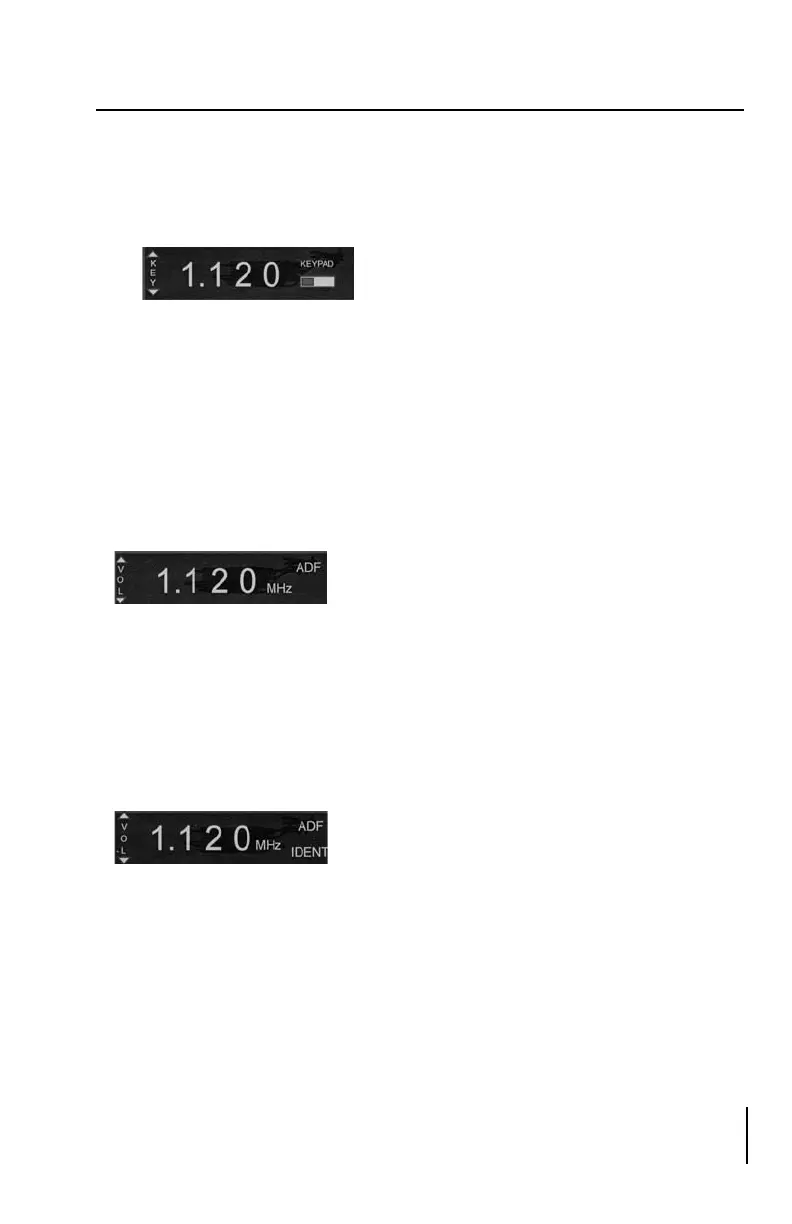
press the FUNC selector until the keypad function is selected. The keypad
function is then displayed with the text “KEYPAD” and a horizontal fill
bar on the right side of the annunciator panel. The filled portion of the bar
indicates the current keypad brightness setting. The brightness is adjusted
by pressing the appropriate and indicators on the volume control.
Mode Selector
The mode selector is used to select one of the three operating states: BFO,
ADF, or ANT. Pressing the MODE selector button will step the receiver
through the three modes. The current mode will be displayed in the upper right
corner of the display. On system power-up, the mode selector will be in the
ADF mode.
Ident (ID)
The receiver utilizes an Ident Filter for audio output which aids in receiving
weak signals. Pressing the ID button toggles the Ident Filter on and off. When
the Ident Filter is active, the text “IDENT” is displayed in the bottom right
corner of the display.
<
<
SECTION 7 - DESCRIPTION AND OPERATION (continued)
Function (FUNC) Selector - continued
• Keypad Light Brightness
The keypad light brightness setting is used to adjust the brightness of all
legends on the display face. When the display is setup in the manual mode,
press the FUNC selector until the keypad function is selected. The keypad
function is then displayed with the text “KEYPAD” and a horizontal fill
bar on the right side of the annunciator panel. The filled portion of the bar
indicates the current keypad brightness setting. The brightness is adjusted
by pressing the appropriate and indicators on the volume control.
Mode Selector
The mode selector is used to select one of the three operating states: BFO,
ADF, or ANT. Pressing the MODE selector button will step the receiver
through the three modes. The current mode will be displayed in the upper right
corner of the display. On system power-up, the mode selector will be in the
ADF mode.
Ident (ID)
The receiver utilizes an Ident Filter for audio output which aids in receiving
weak signals. Pressing the ID button toggles the Ident Filter on and off. When
the Ident Filter is active, the text “IDENT” is displayed in the bottom right
corner of the display.
<
<









 To Next Page