Activity 7: Drive Forward
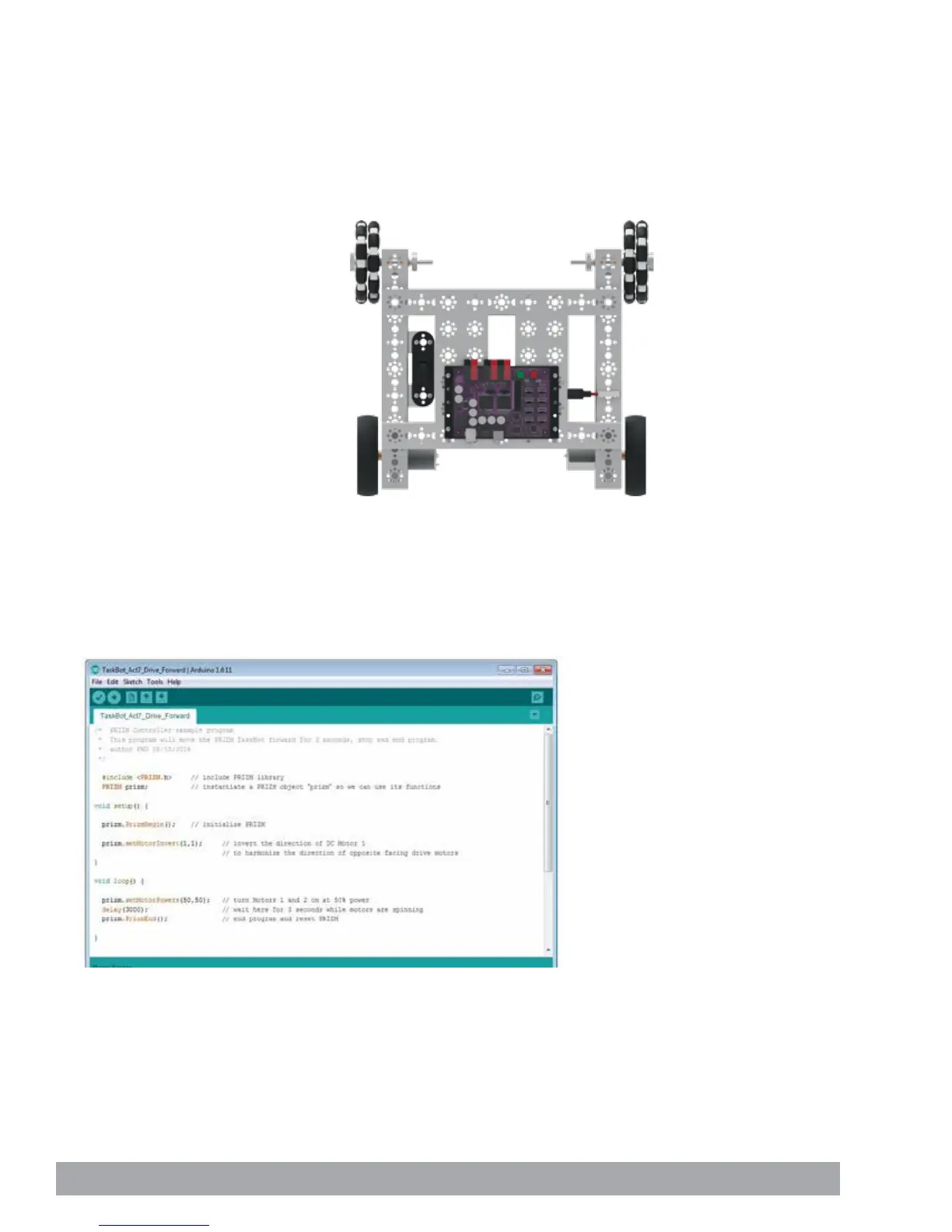
Activity 7 is the first activity with the TaskBot. We want to start with something
simple. In this activity we will create a sketch to move the TaskBot forward for three
seconds, stop, and end the program.
Building on what we learned in Activity 2, we will add a second motor and have
them work together in unison. Being able to use two motors together in unison is a
fundamental requirement for mobile robots.
Figure 20
Parts Needed
• Fully assembled PRIZM TaskBot
• USB cable
• A charged TETRIX 12-Volt Rechargeable
NiMH Battery Pack
• Computer
Opening the Sketch
Before we open our next example sketch, be sure to save any sketch you want to
reference later.
Open the sketch by selecting File > Examples > TETRIX_PRIZM > TaskBot_
Act7_Drive_Forward. A new sketch window will open titled TaskBot_Act7_Drive_
Forward (Figure 20).
84 Building and Coding the PRIZM TaskBot


 To Next Page