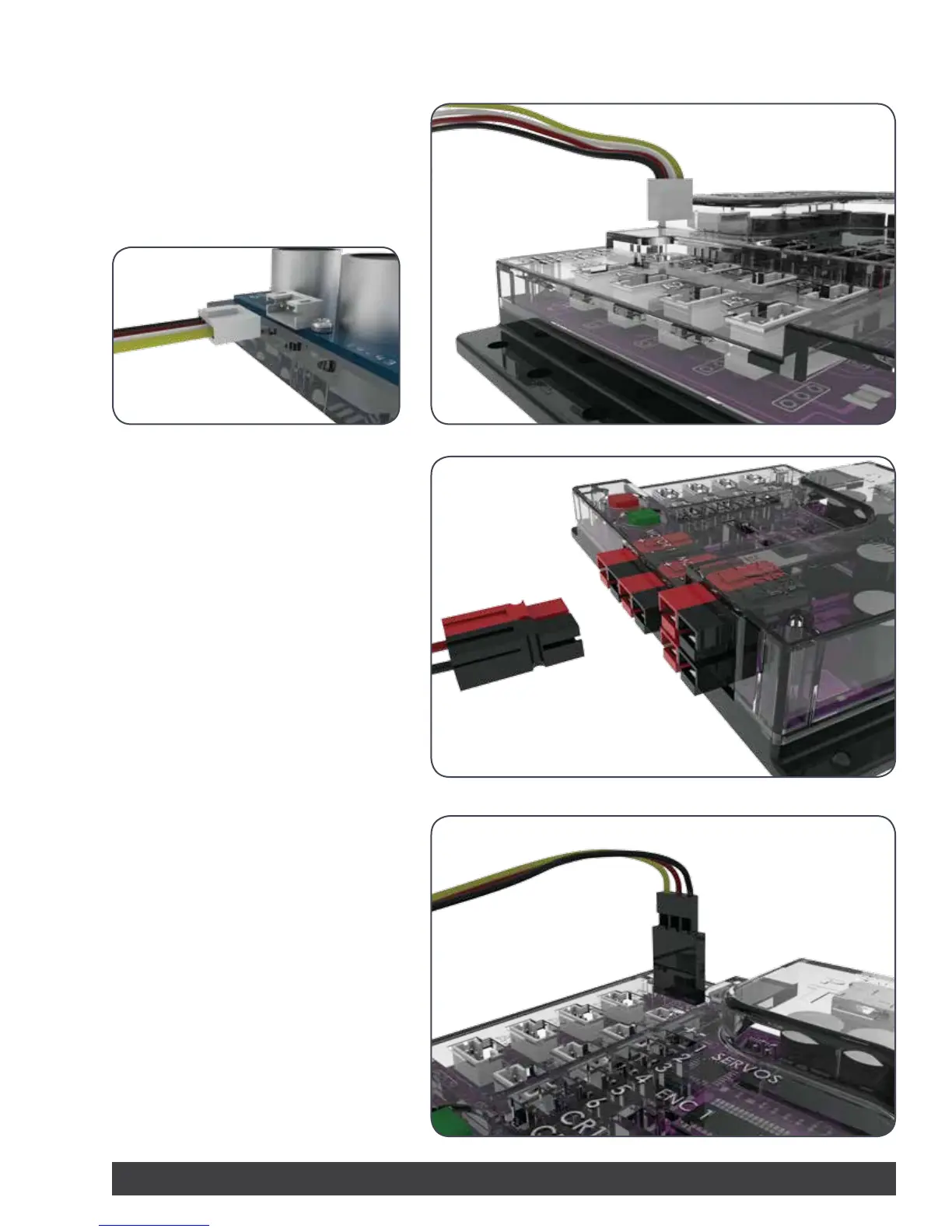
Attaching the Sensors:
To connect a sensor to the PRIZM, plug one
end of the sensor adapter wire into the
sensor. Plug the other end into ports labeled
D2-D5 or A1-A3.
Attaching the DC Motors:
To connect a DC motor to the PRIZM, attach
the white end of the Powerpole connector
to the motor and plug the mating colored
connectors into one of the two motor
ports. Connectors should be plugged in
RED to RED and BLACK to BLACK for proper
operation.
Attaching the Servo Motors:
To connect a standard servo motor to the
PRIZM, plug one end of the servo wire into
servo ports 1-6. To connect a continuous
rotation servo motor to the PRIZM, plug one
end of the servo wire into servo ports labeled
CR1 or CR2.
PRIZM™ Setup
Getting Started 5


 To Next Page