11
Before
Using
Features
Connecting
The Wires
Installing
The Product
Initial
Settings
How to
Operate
Speed Pulse
Settings
Trouble-
Shooting
[With Auto-Blipping] [Without Auto-Blipping]
Slip
RPM RPM
G
G
Throttle
Opening
27%
Throttle
Opening
50%
Throttle
Opening
89%
Trouble
Concerning Basic Operations and Car Problems
Possible Causes Possible Solutions
Troubleshooting
Make the “Initial Settings” (See page 7 of this
manual) and turn off the Check Engine Light (See
page 12).
After returning it to NORMAL Mode, carry out the
“Initial Settings” (See page 7 of this manual) and
turn off the Check Engine Light (See page 12).
While making “Initial Settings”
an
Err
appears in the display.
nor
appears in the display and won’t work.
The “Initial Settings” have not been properly carried
out.
The ignition is set to the ON position but
the display of the Main Unit will not light
up.
OR the display goes OFF while in use.
With the ignition switched to
the ON, only the dot appears.
Brake fuse is burned out.
The “Initial Settings” have not been properly carried
out.
The car is being driven.
The product was in a mode other than NORMAL
Mode when removed from a car and installed into a
different car.
Please reconfirm whether wiring and connections
are correct or not.
Please reconfirm whether wiring and connections
are correct or not.
Please reconfirm whether wiring and connections
are correct or not.
Carry out after stopping the car.
A Check Engine Light has gone on.
It will not go into “Initial Settings” or
“Speed Pulse Settings”.
Make the “Initial Settings” (See page 7 of this
manual).
The “Initial Settings” have not been properly carried
out.
Make the “Initial Settings” (See page 7 of this
manual).
The RED and Black wire may have been improp-
erly wired or there is a poor connection.
The Orange wire may have been improperly wired
or there is a poor connection.
The Black wire may have been improperly wired or
there is a poor connection.
Poor connection of 5-pin Connector ,
8-pin Connector and 6-pin Connector .
Poor connection of Specialized Harness .
Specialized Harness being used is incorrect.
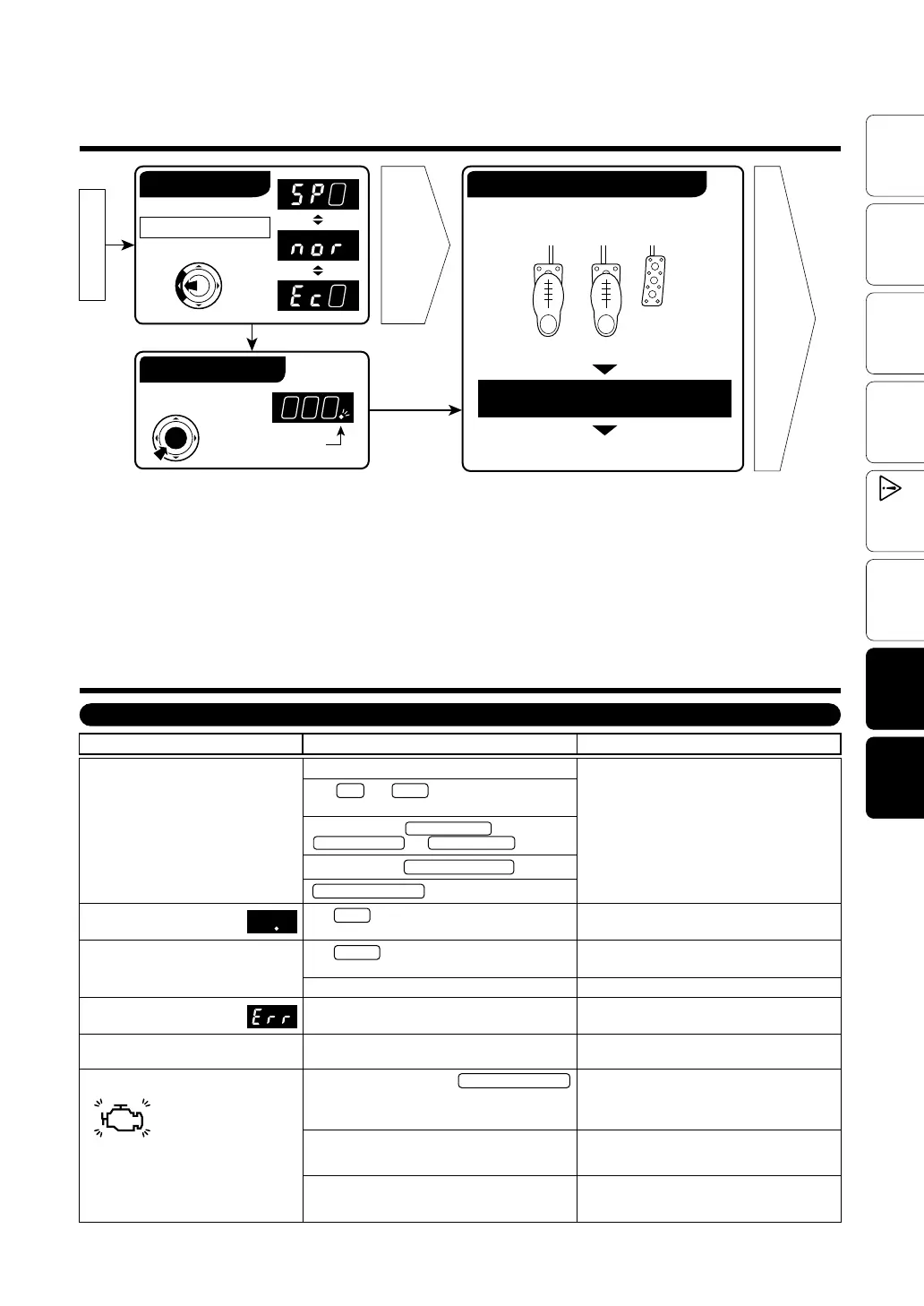
Basic Operation
Engine Start
Switching the Mode
Page 10
Page
8 to 9
Press the MODE switch.
Throttle Control
Auto-Blipping ON
Auto-Blipping function operate
Clutch Brake
Accel
Auto-Blipping function operate.
(The engine’ s rpms increase.)
Press the BLP Switch
Dot light on : ON
Dot light off : OFF
Depress the clutch while stepping on the
brake with setting speed or above.
Change gear and release the clutch
pedal, downshift completed.
Re-connect the disconnected connector and turn
off the Light (See page 12 of this manual).
The accelerator connector or Specialized Harness
was disconnected with the ignition in the ON position
or within 15 minutes after having turned the ignition
to the OFF position.


 To Next Page