EasyManua.ls Logo

Pixsys ATR 236 - Confi Guration

Pixsys ATR 236
65 pages
Print Icon
To Next Page IconTo Next Page
To Previous Page IconTo Previous Page
Loading...
EN 16
8 Confi guration
8.1 Modify Confi guration Parameter
For confi guration parameters see paragraph 9.
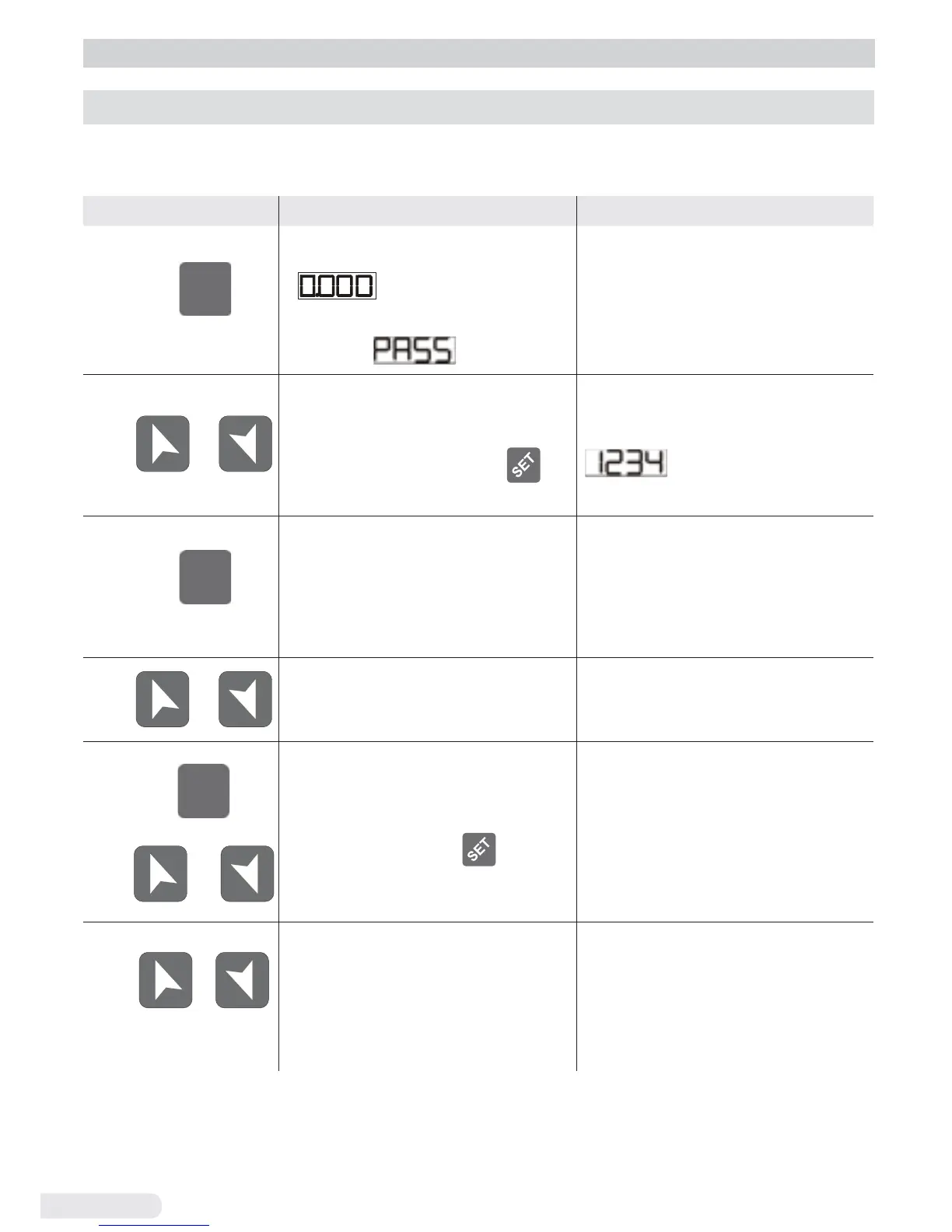
Press Display Do
1
SET
for 3 second
Display 1 shows
with the 1
st
digit
fl ashing, while display 2
shows
.
2
or
Change the fl ashing
digit and move to the
next one using the
key.
Enter password:
.
3
SET
to confi rm
Display 1 shows the
fi rst parameter and
display 2 shows the
value.
4
or
Slide up / down through
parameters.
5
SET
or
Increase or decrease
the value displayed by
pressing fi rstly
and
then an arrow key.
Enter the new data
which will be saved on
releasing the keys.
To change another
parameter return to point 4.
6
+
simultaneously
End of confi guration
parameter change.
The controller exits
from programming.
+

Table of Contents