FIG-1
19
RESET
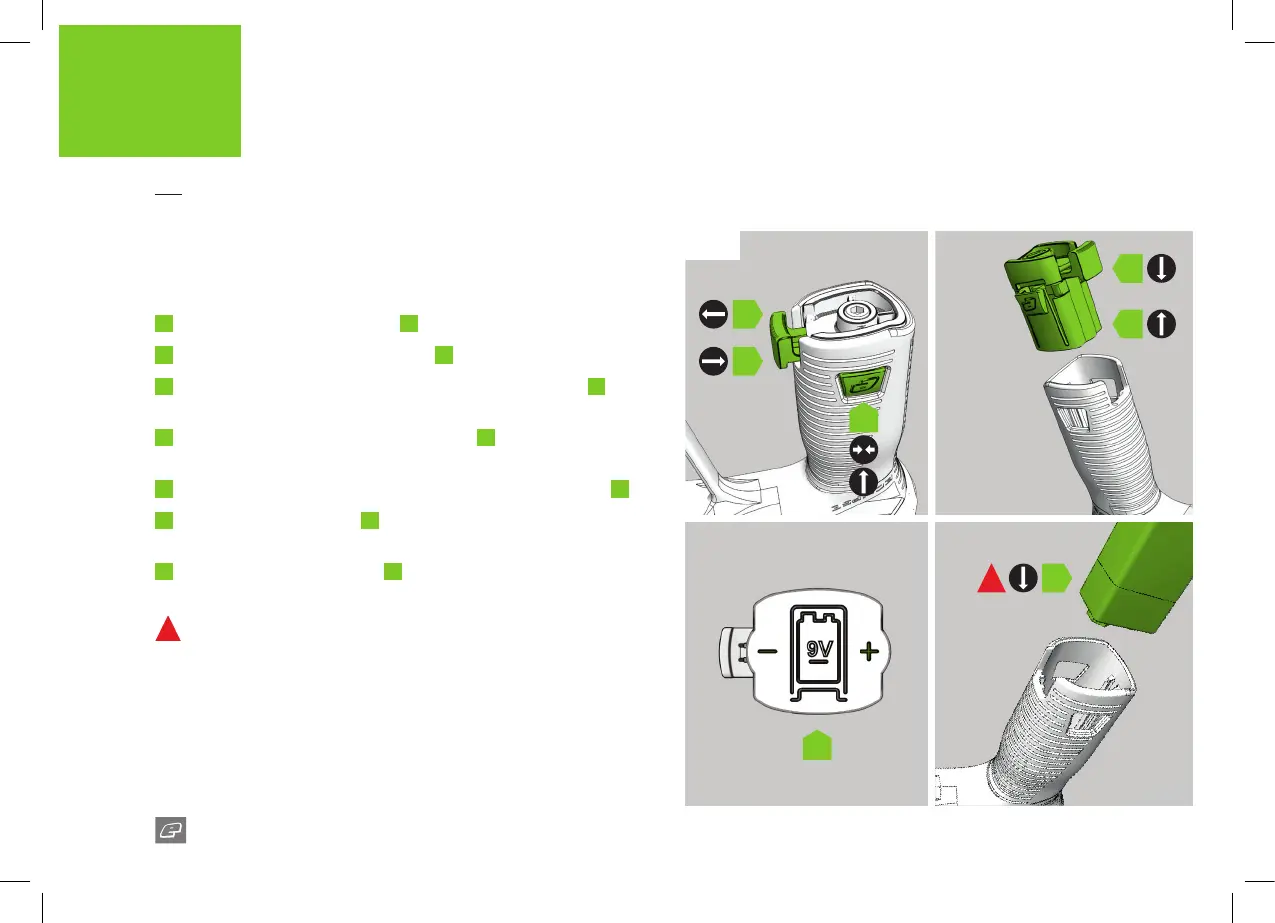
INSTALLING A 9V BATTERY
The ETHA2’s lock n’ load battery system is located in the foregrip and
makes changing your battery easy.
FIG-1
1
Pull out the bottom locking tab
A
.
2
Push and hold the side locking tabs
B
.
3
With the side locking tabs held rmly, pull the battery base
C
out
of the bottom of the foregrip and remove.
4
The battery base has a positional diagram
D
to show the correct
orientation of the battery and terminals.
5
Install your 9V battery ensuring the terminal position is correct
E
.
6
Replace the battery base
F
, ensuring the side tabs click and lock
into place.
7
Push the bottom locking tab
G
back in place to lock the unit.
1
DO NOT use rechargeable or poor quality batteries.
A
G
E
B
D
C
F
1















 To Next Page