FIG-1
08
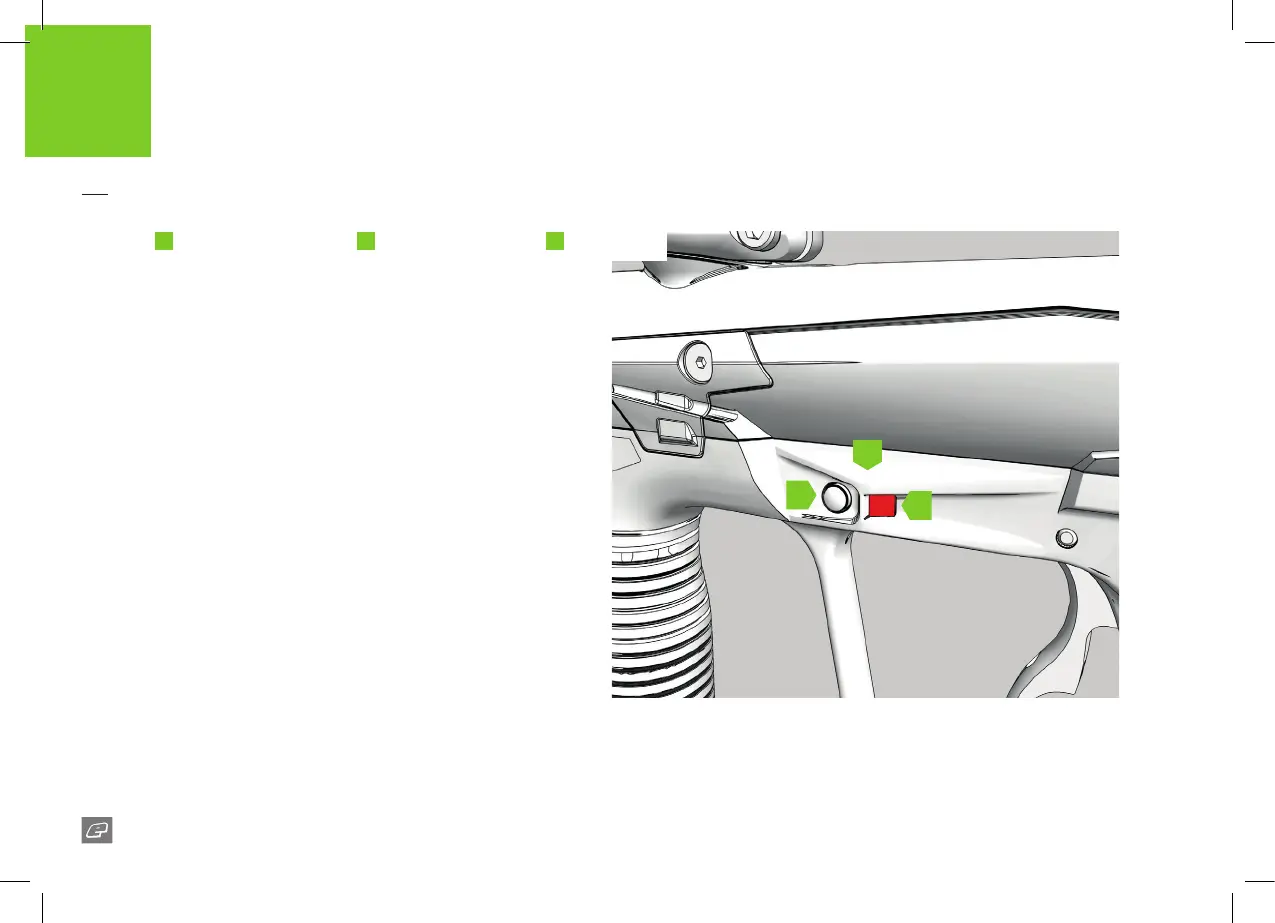
The frame
A
houses the On/O button
B
and the status indicator
C
.
Use the On/O button to switch the ETHA2 On/O.
FIG-1
To switch the ETHA2 on press and hold the On/O button. Release the
On/O button when the status indicator lights up.
On power up, if the ETHA2 is unable to load its previous settings it will
restore the factory settings. If this happens, the LED will ash RED (error),
then BLUE factory reset).
To switch the ETHA2 o press and hold the On/O button. Release the
On/O button when the status indicator turns red. The ETHA2 will now
switch o.
Firing the ETHA2
Pull the trigger to re the ETHA2. If the marker is able to re then it will
do so.
QUICK START
SWITCHING THE ETHA2
ON/OFF
C
B
A















 To Next Page