BM-500 Bandwidth Management Gateway User’s Manual
- 9 -
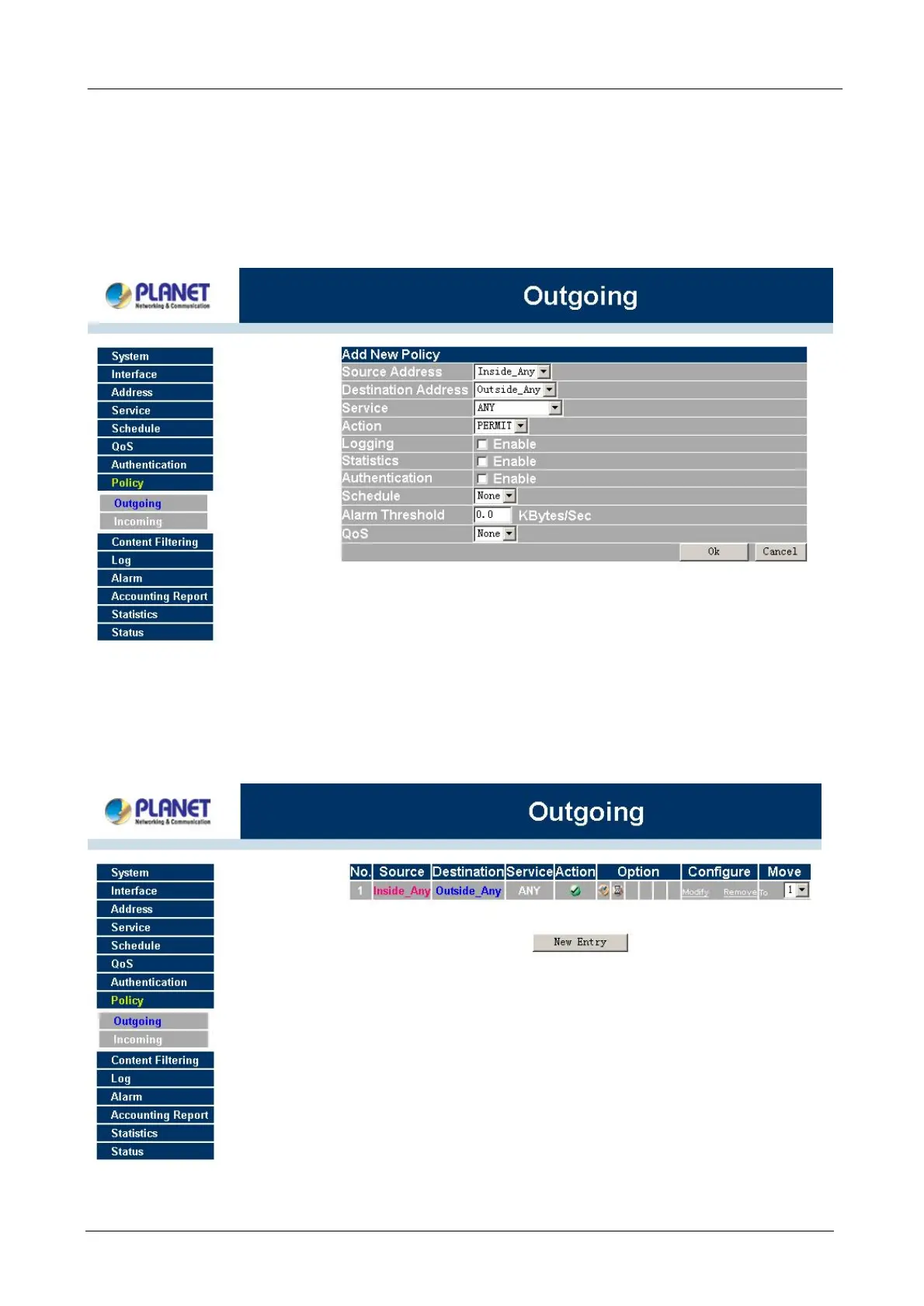
Click on New Entry button.
STEP 4:
When the New Entry option appears, enter the following configuration:
Source Address – select “Inside_Any”
Destination Address – select “Outside_Any”
Service - select “ANY”
Action - select “Permit”
Click on OK to apply the changes.
STEP 5:
The configuration is successful when the screen below is displayed. Make sure that all the computers that
are connected to the LAN port have their Default Gateway IP Address set to the Bandwidth Management
Gateway’s LAN IP Address (i.e. 192.168.1.1). At this point, all the computers on the LAN network should gain
access to the Internet immediately. If a Bandwidth Management Gateway filter function is required, please
refer to the Policy section in the user’s manual.



 To Next Page