BM-500 Bandwidth Management Gateway User’s Manual
- 10 -
3.3 Setting Up in NAT Mode
STEP 1:
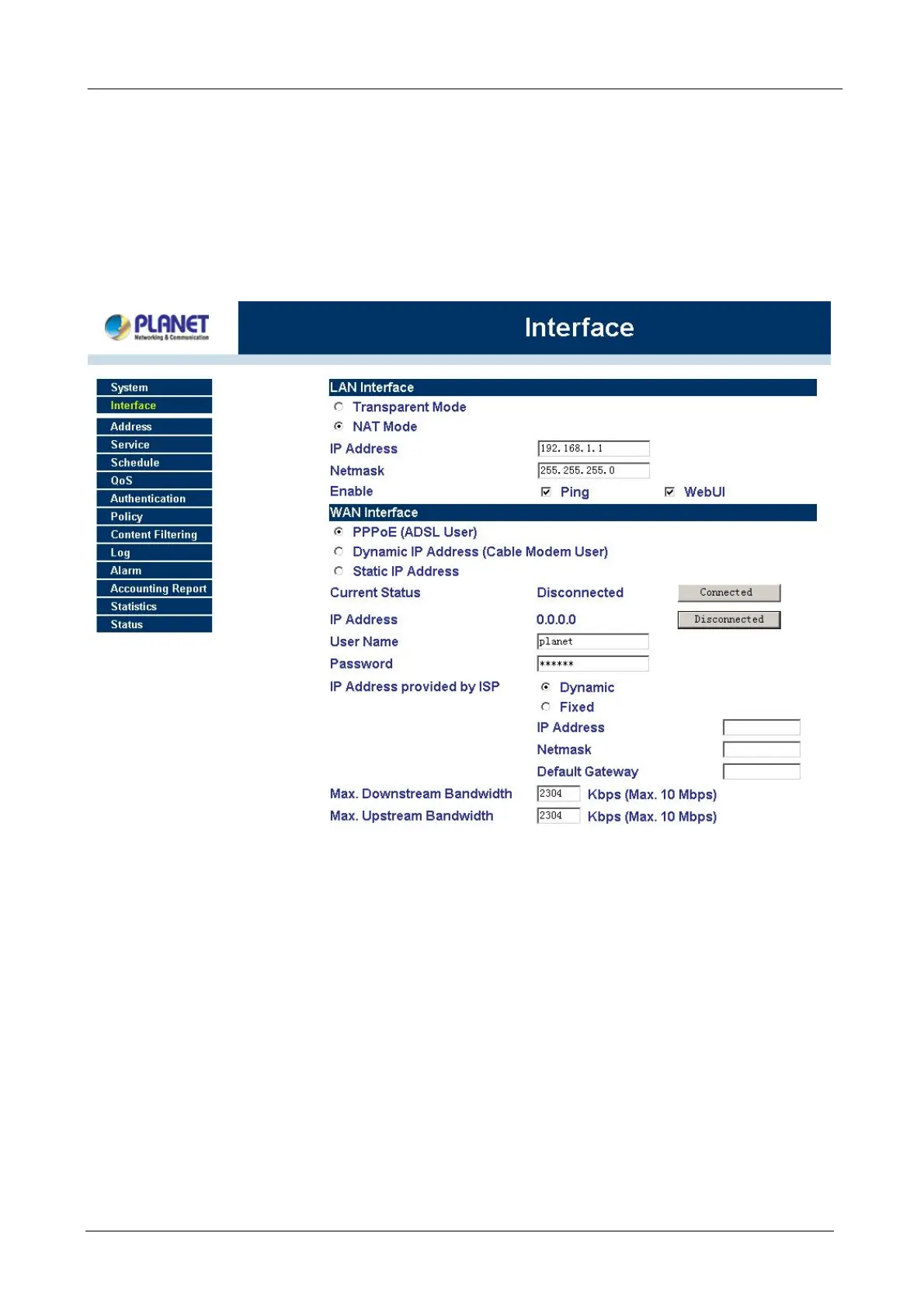
After entering the Bandwidth Management Gateway WEB UI screen, select the Interface tab on the left menu
and a sub-function list will be displayed.
Select the NAT Mode.
Enter the required information to their corresponding fields.
LAN Interface IP Address 192.168.1.1
NetMask 255.255.255.0
Enter the information that your ISP provided.
STEP 2:
Click on the Policy tab from the main function menu, and then click on Outgoing from the sub-function list.
Click on the Policy tab from the main function menu, and then click on Incoming from the sub-function list.
STEP 3:
Click on New Entry button.
STEP 4:
When the New Entry option appears, enter the following configuration:
Source Address – select “Inside_Any”
Destination Address – select “Outside_Any”
Service - select “ANY”
Action - select “Permit”
Click on OK to apply the changes.



 To Next Page