BM-500 Bandwidth Management Gateway User’s Manual
- 8 -
3.2 Setting Up in Transparent Mode
STEP 1:
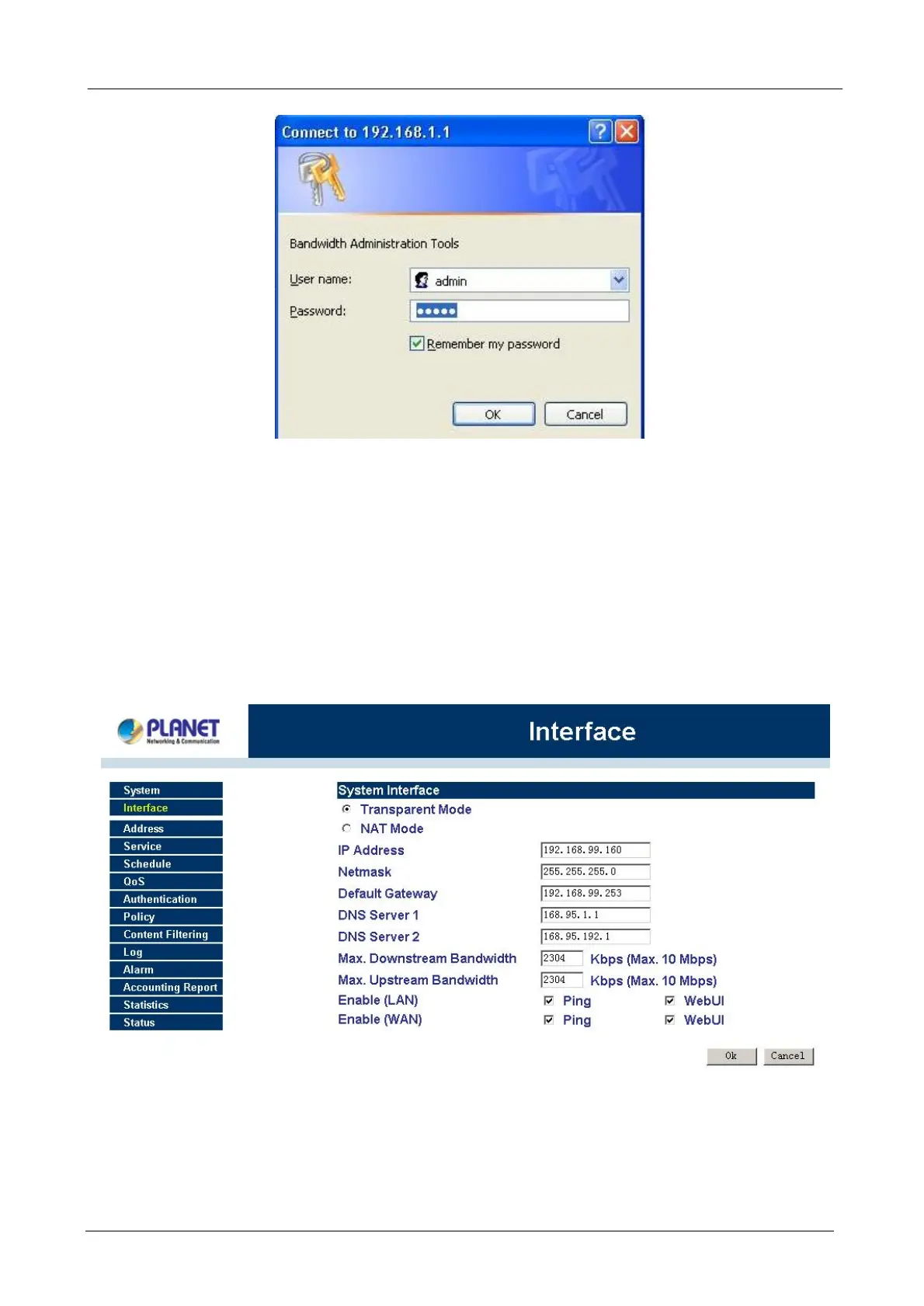
After entering the username and password, the Bandwidth Management Gateway WEB UI screen will display.
Select the Interface tab on the left menu and a sub-function list will be displayed.
• Select Transparent Mode.
• Enter required information to their corresponding fields.
LAN interface IP Address
NetMask
Default Gateway
DNS Server
.
Note: The above figures are only examples. Please fill in the appropriate IP address information provided to
you by the ISP.
STEP 2:
Click on the Policy tab from the main function menu, and then click on Outgoing from the sub-function list.
STEP 3:



 To Next Page