BM-500 Bandwidth Management Gateway User’s Manual
- 2 -
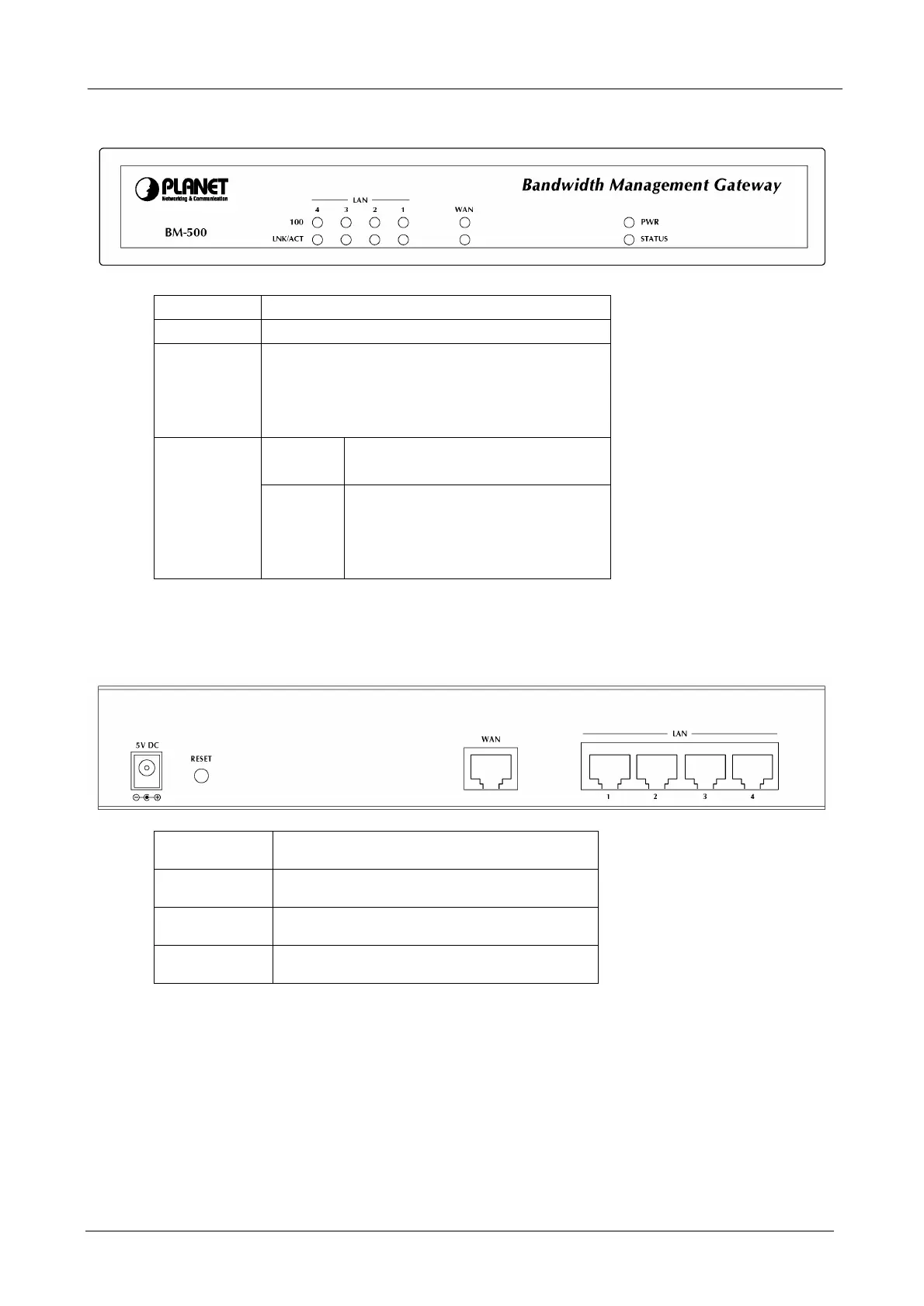
1.3 Bandwidth Management Gateway Front View
LED Description
PWR Power is supplied to this device.
STATUS Blinks to indicate this devise is being turned on.
After one minute, this LED indicator will stop
blinking, it means this device is now ready to
use.
100 Steady on indicates the port operate
on 100Mbps speed
WAN & LAN
LNK/ACT
Steady on indicates the port is
connected to other network device.
Blink to indicates there is traffic on
the port
1.4 Bandwidth Management Gateway Rear Panel
Port or
button
Description
RESET Press this button to restore to factory
default settings.
WAN Connect to your xDSL/Cable modem
or other Internet connection device
LAN 1 to 4 Connect to your local PC, switch or
other local network device



 To Next Page