9
4. Terminal Setup
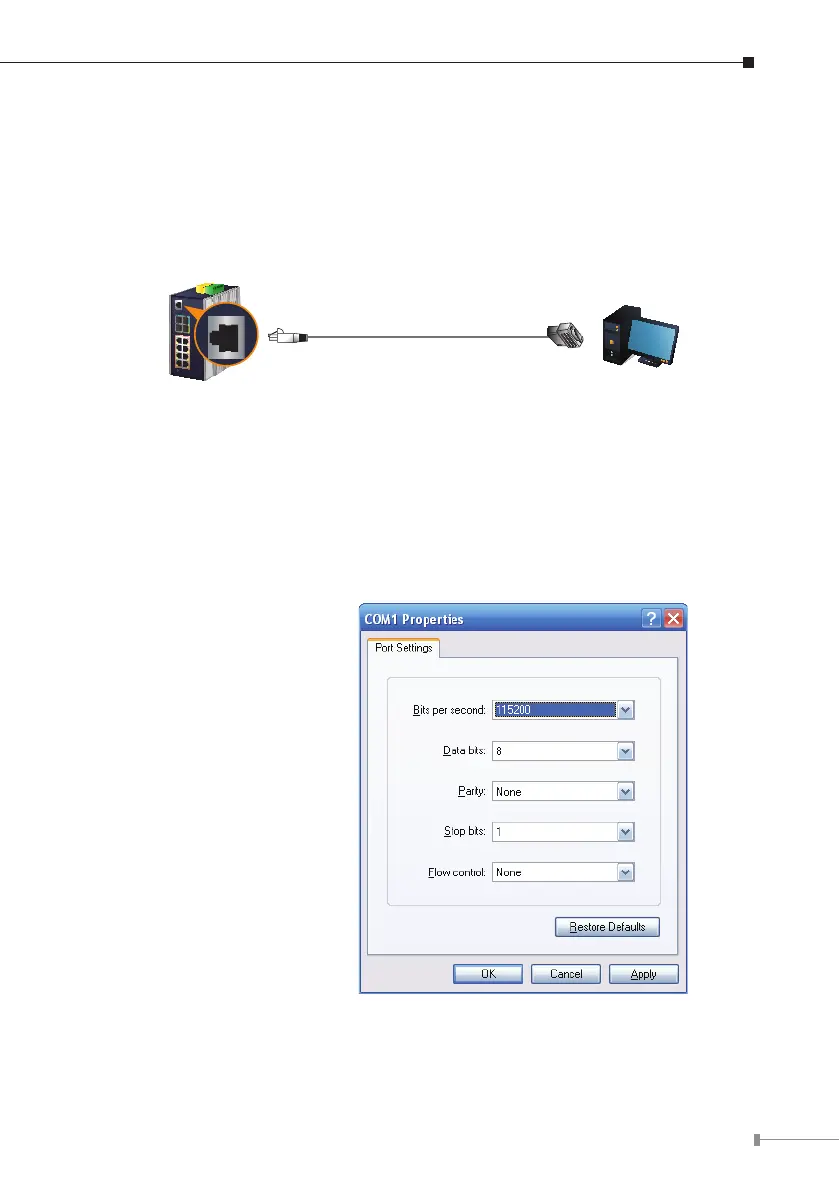
To congure the system, connect a serial cable to a COM port on a PC or
notebook computer and to RJ45 type serial (console) port of the Industrial
Managed Switch.
PC/Workstation with
Terminal Emulation Software
RJ45 to DB9 RS232 Cable
Serial Port
Console Port
115200,N,8,1
IGS Industrial Managed Switch
A terminal program is required to make the software connected to the Industrial
Managed Switch.
1. Run terminal program on the OS.
2.When the following screen appears, make sure that the COM port should be
conguredas:
Baud: 115200
Parity:None
Data bits: 8
Stop bits: 1
Flowcontrol:None














 To Next Page