6.5 Network Services
Two Methods to access NAS by FTP are described below. Please make FTP service enable in the web
management
.
6.5.1 FTP Service
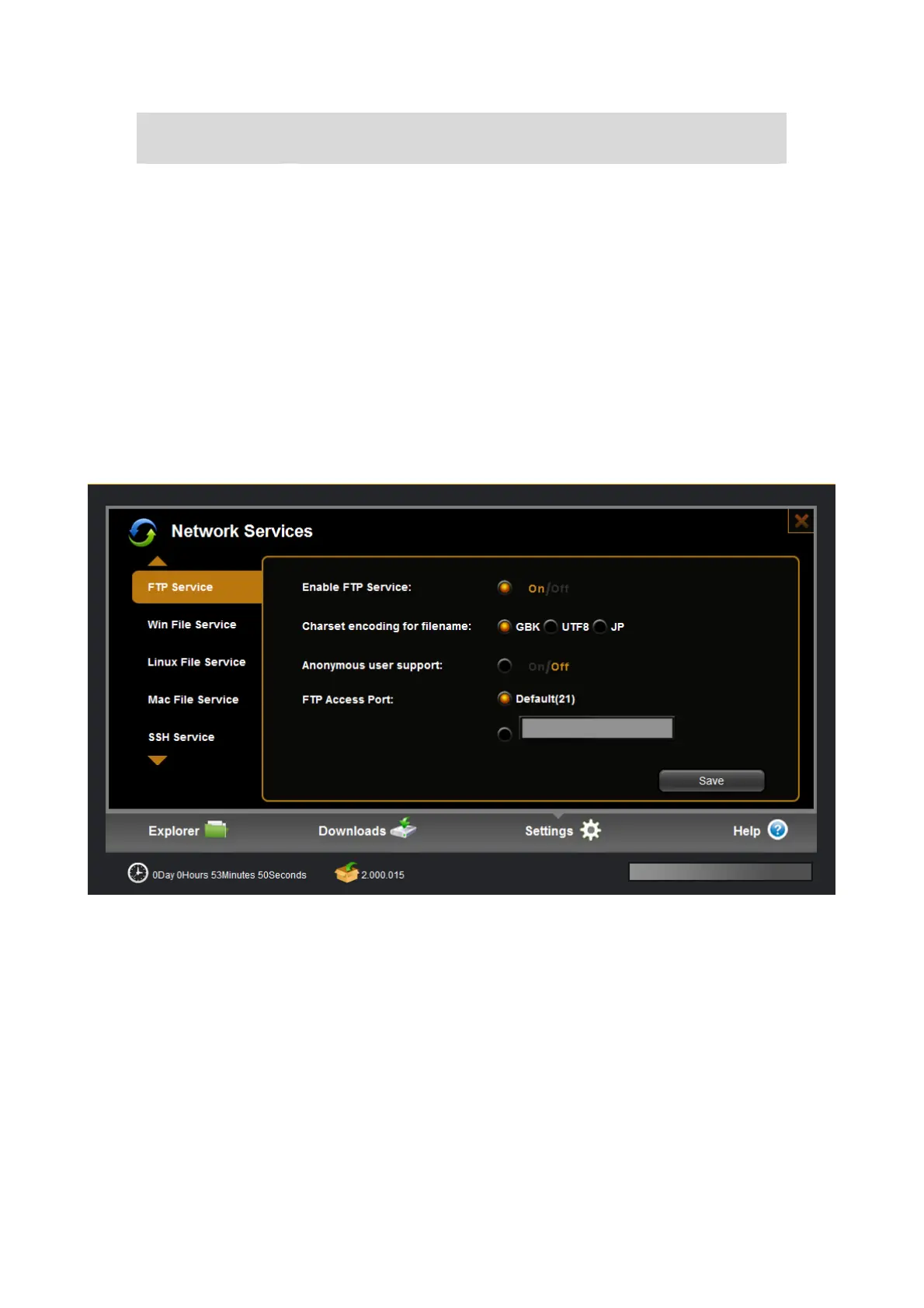
1)User can access NAS data through FTP service in LAN or WAN(based on DDNS).
2)Support Unicode filename: select the right option based on your language you used.
3)Anonymous enable: enable this option to let anonymous user access your data, anonymous user
only can see “share” folder.
4)FTP access port: the default access port is standard 21, you can change the option if needed.
Item Action
HTTP Access Port HTTP setting is used to set web access port, the default port is 9080,
you can modify as need. Also we support standard default port 80
additional at same time. This port is very important for DDNS.


 To Next Page