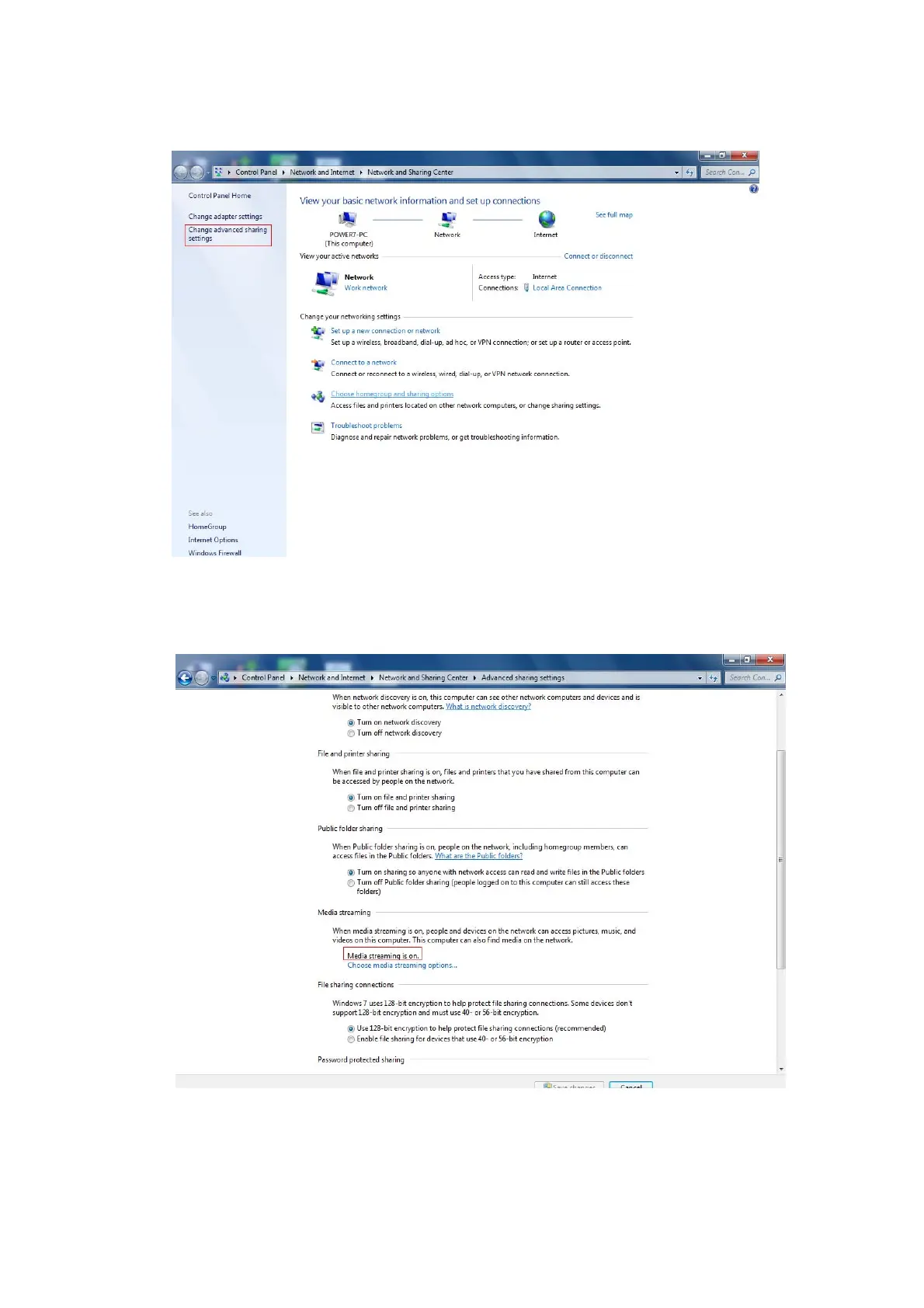
Click the option "Change advanced sharing settings" on the left side of the interface.
Open “Media streaming” that you can find media on the network.
2. Add media files folders to the shared.
Access device by Samba / FTP (section 3, section 4), and copy multimedia files to ”Music”, “Movies”,
“Pictures” fodder under the “share” directory.


 To Next Page