Gigabit Color LCD HD PoE IP Phone (4-Line)
VIP-6040PT
- 56 -
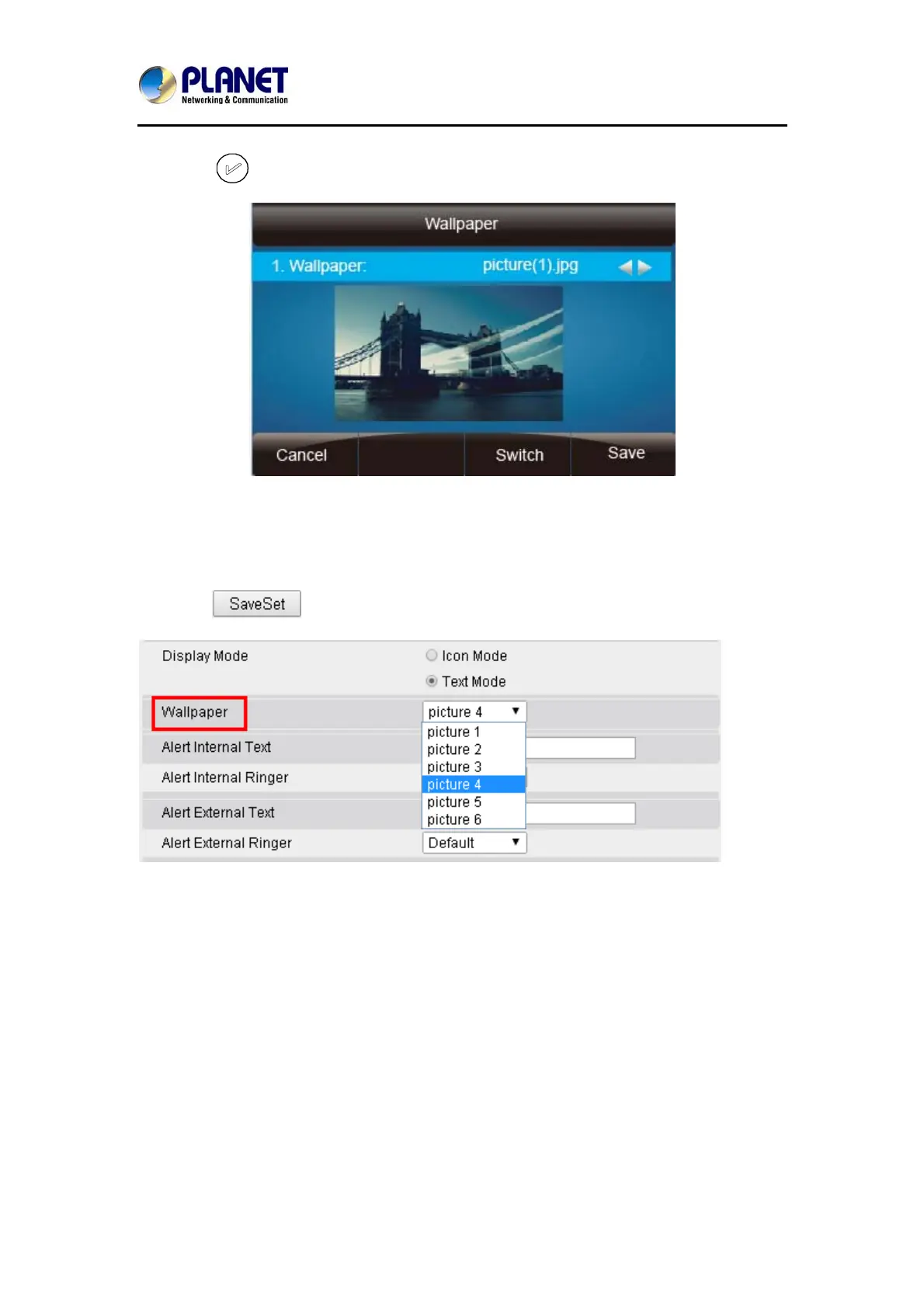
3. Press or Save soft key to save the selected wallpaper picture.
To change the wallpaper via web interface:
1. Click SettingÆPreference
2. Select the desired wallpaper picture
3. Click
to save the setting.
4.11 Screen Saver
There are three types of screen saver: Time & Logo, Photo Switch and Phone.
Time & Logo: When the screensaver works, it will show Time and logo in turn.
Photo Switch: All screensaver pictures are displayed one by one.
Phone: Only selected phone display is used as screensaver.
Text logo: It works with Time & Logo. When the value is entered, it will display the
time and the entered value in turn.



 To Next Page