www.planmeca.com
For detailed instructions, please see the user’s manual. Copyright Planmeca. Rights for changes reserved.
10031321_10/02.2019/en
Programming
Control panel
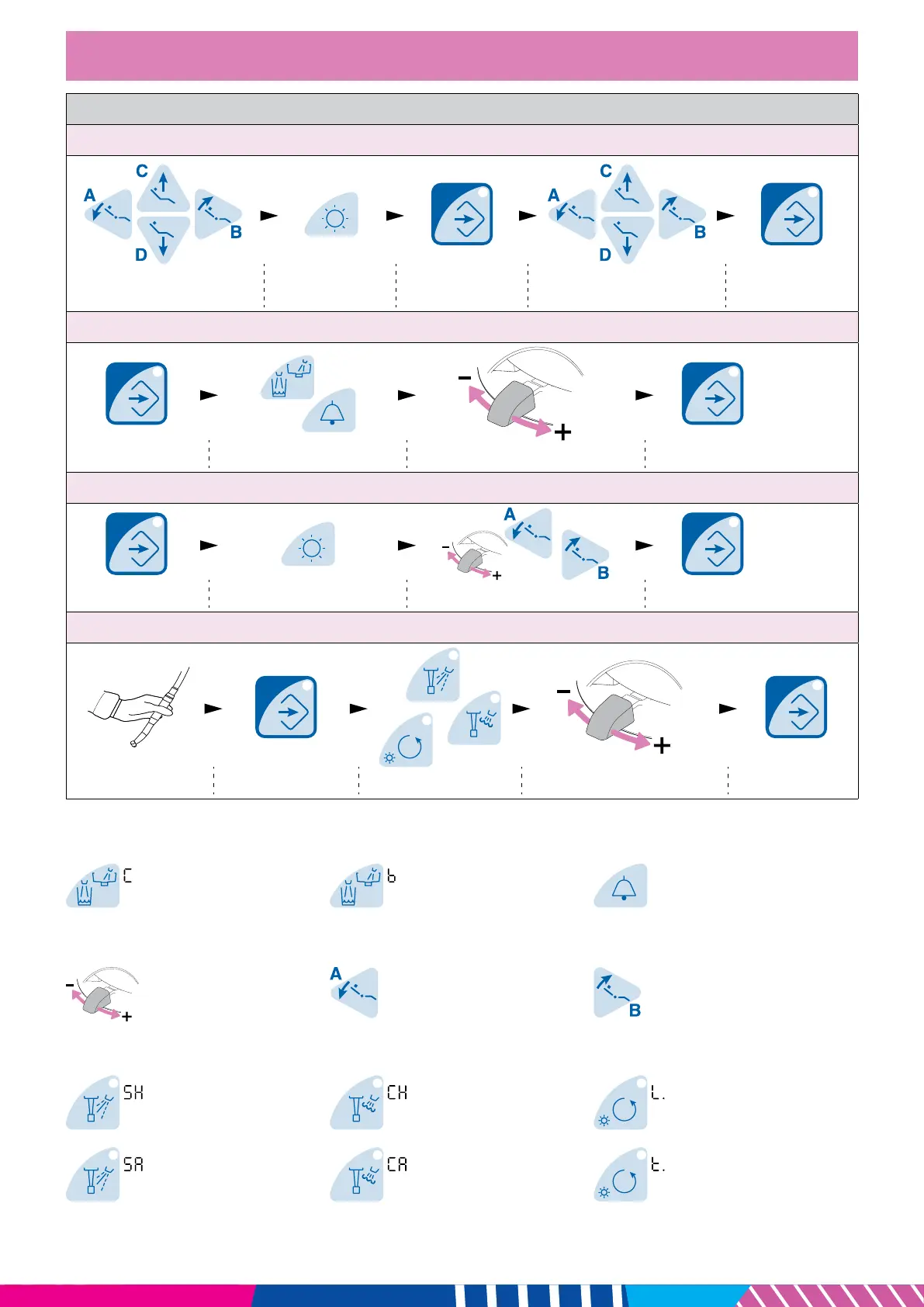
Patient chair autoposition settings
Move chair to required position
Switch operating
light On/Off
Start programming
Press desired button where to
store chair position
Accept new
autoposition
Unit settings
Start programming Select function* Adjust value Accept new value
Planmeca Solanna operating light settings
Start programming Select operating light Adjust/select value** Accept new value
Instrument settings
Activate instrument Start programming Select function*** Adjust value Accept new value
*Unit functions
Duration of cup lling
2 - 10 sec.
Duration of bowl rinsing
5 - 240 sec.
Duration of door open/
assistant call signal
0 - 250 sec.
**Operating light functions
Intensity
30 - 100%
White light tone
Warm > Neutral > Cool
Maximum brightness
Mild > Strong > Glaring
***Instrument functions
Spray water
0 (off) - F=100 (full)
Chip blow water
0 (off) - F=100 (full)
Intensity of instrument light
L. oFF (off), 70 - 100%
Spray air
0 (off) - F=100 (full)
Chip blow air
0 (off) - F=100 (full)
Duration of polymerisation
cycle
5 - 100 sec.












 To Previous Page