Planmeca Intra Mobile base 3/8
Installation instructions
PLANMECA INTRA X-RAY UNIT
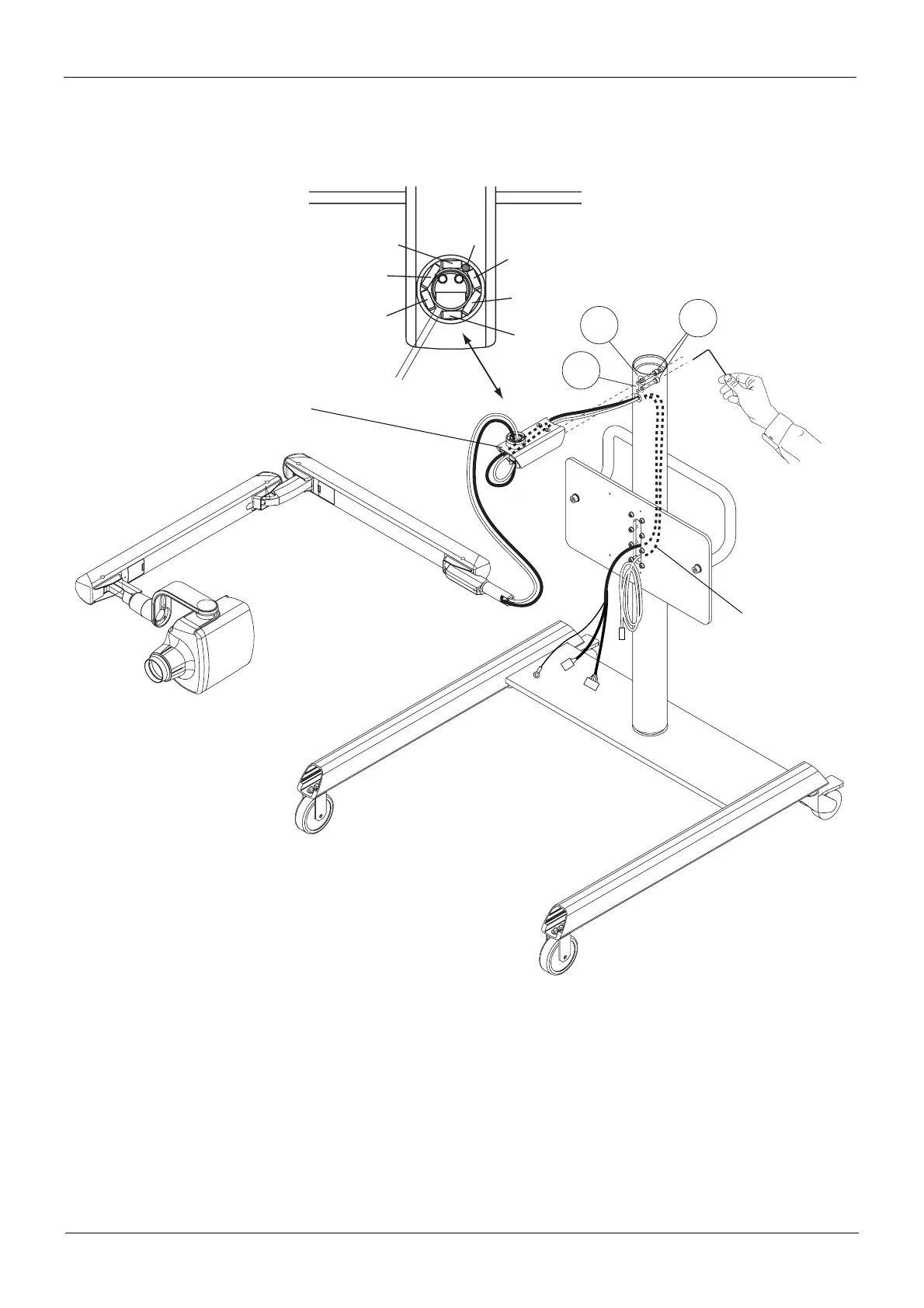
3. Position the cylindrical pins to the bearing housing according to the figure below. Route the Intra cables
through the horizontal arm and column. Attach the horizontal arm to the column with two attachment
screws (1) and larger (2) and smaller (3) washers.
1
2
3
mobile_intra7.eps
5x18 pin
Pin
5x14 pin
5x18 pin
5x14 pin
5x14 pin
5x14 pin
Gap
Place the cylindrical pins
to the bearing housing
according to figure beside.
Horizontal arm
Intra cables














 To Next Page