18
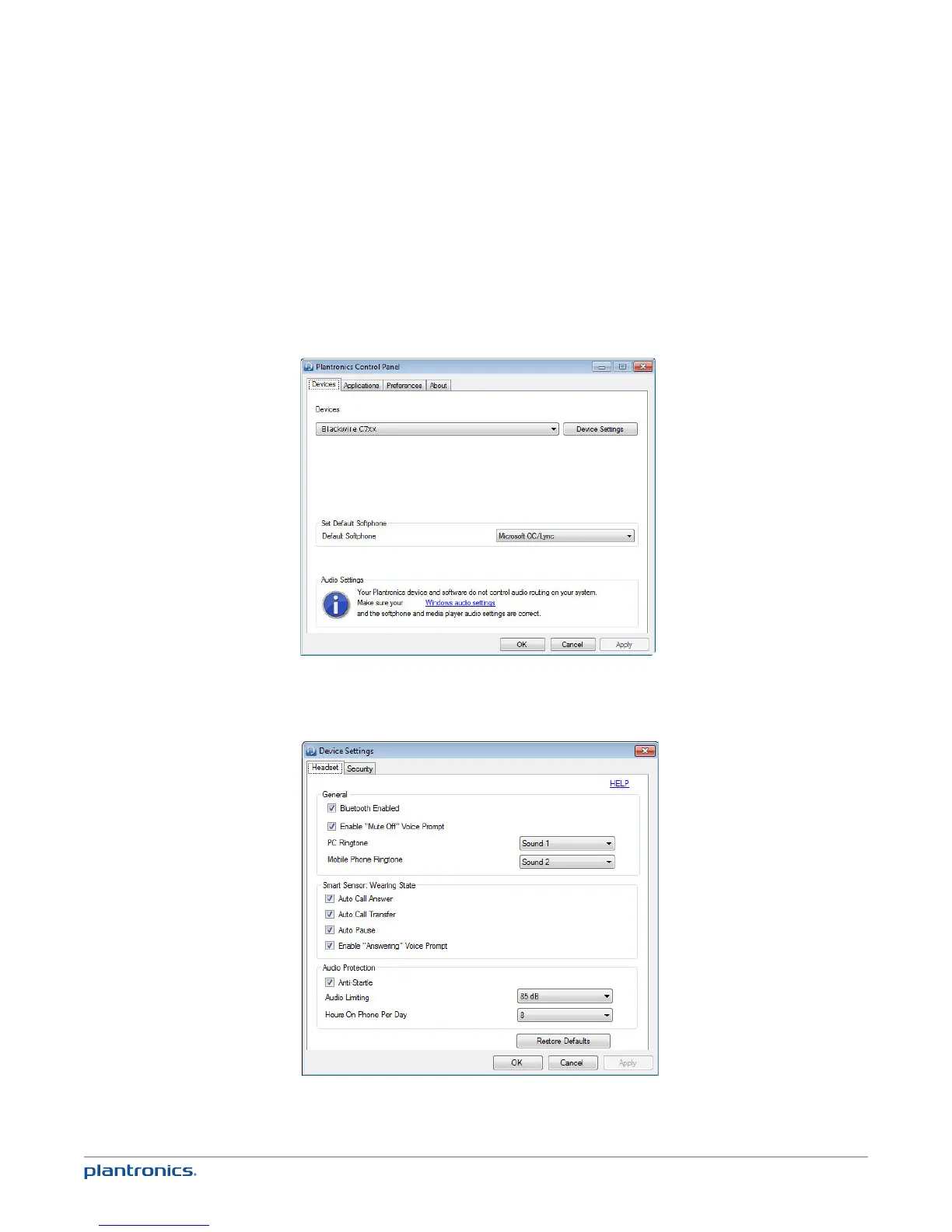
Plantronics Control Panel
User preferences and device settings that affect the performance of your headset can be changed
using the Plantronics Control Panel.
To access the Plantronics Control Panel, load Plantronics Spokes software by visiting
plantronics.com/software and click on the download button.
To start this utility, click Start > Programs > Plantronics > Plantronics Control Panel.
Devices settings
Select your Blackwire C7xx from the pull-down menu then select Device Settings to configure
settings for your headset system.
Optional Plantronics Spokes software







 To Next Page