9
Make a call with Microsoft Lync®/Office Communicator
1 Ensure Microsoft Lync/Office Communicator is running on your PC.
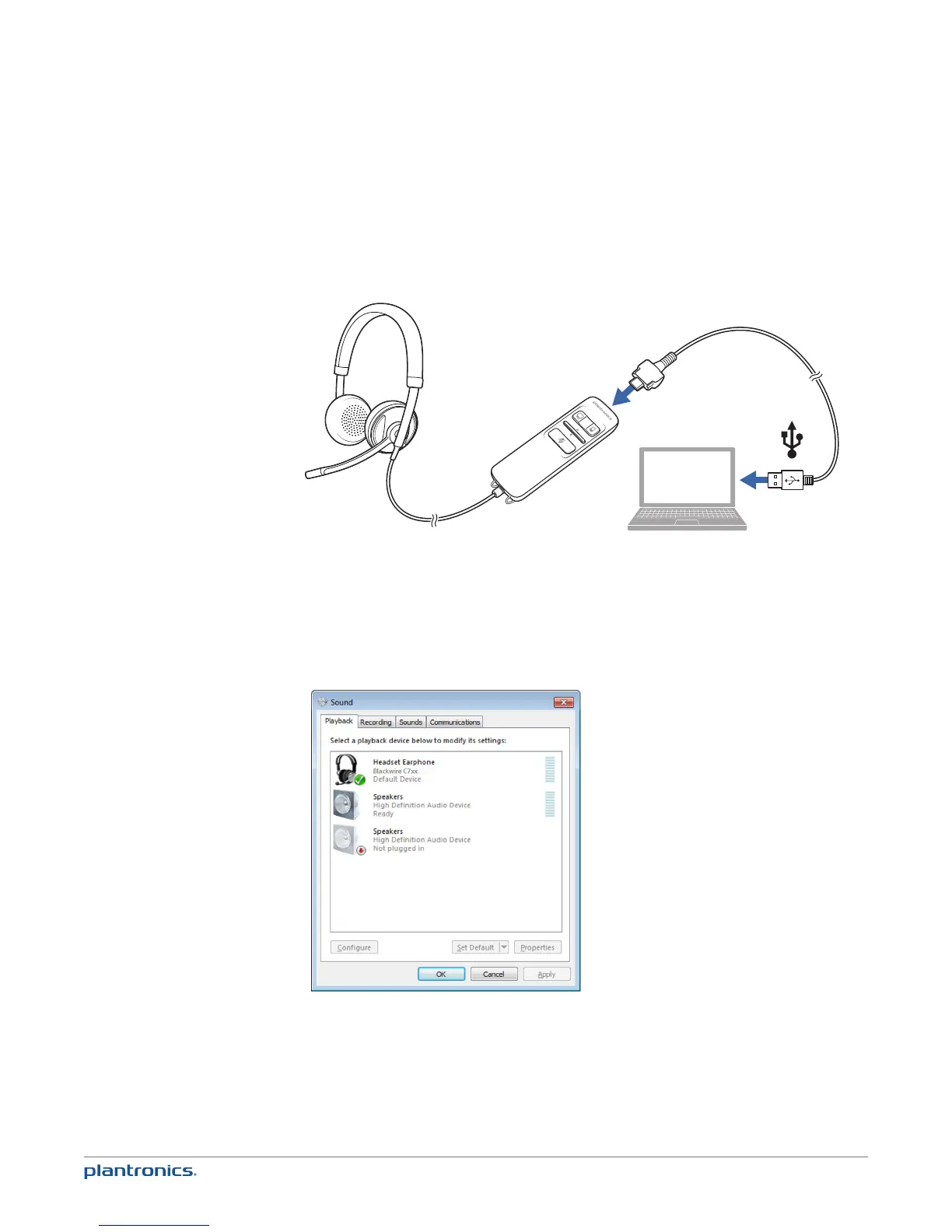
2 Connect the USB cable to the inline controller and PC.
3 Place the headset on a flat non-metallic surface. The sensors in your headset fully calibrate while
charging.*
4 Confirm the speaker and microphone settings for your PC softphone are set to Plantronics
Blackwire C710M/C720M as shown below:
PC audio setup for Windows 7 (To reach this screen: Control Panel > Sound)
Default setting: All PC sounds and audio is played in the headset.
* When your headset is connected to the PC the mobile talk button will be solid red when charging
and off when fully charged. See “Make a mobile phone call”
Connect and make a PC call







 To Next Page