8
Wearing the headset
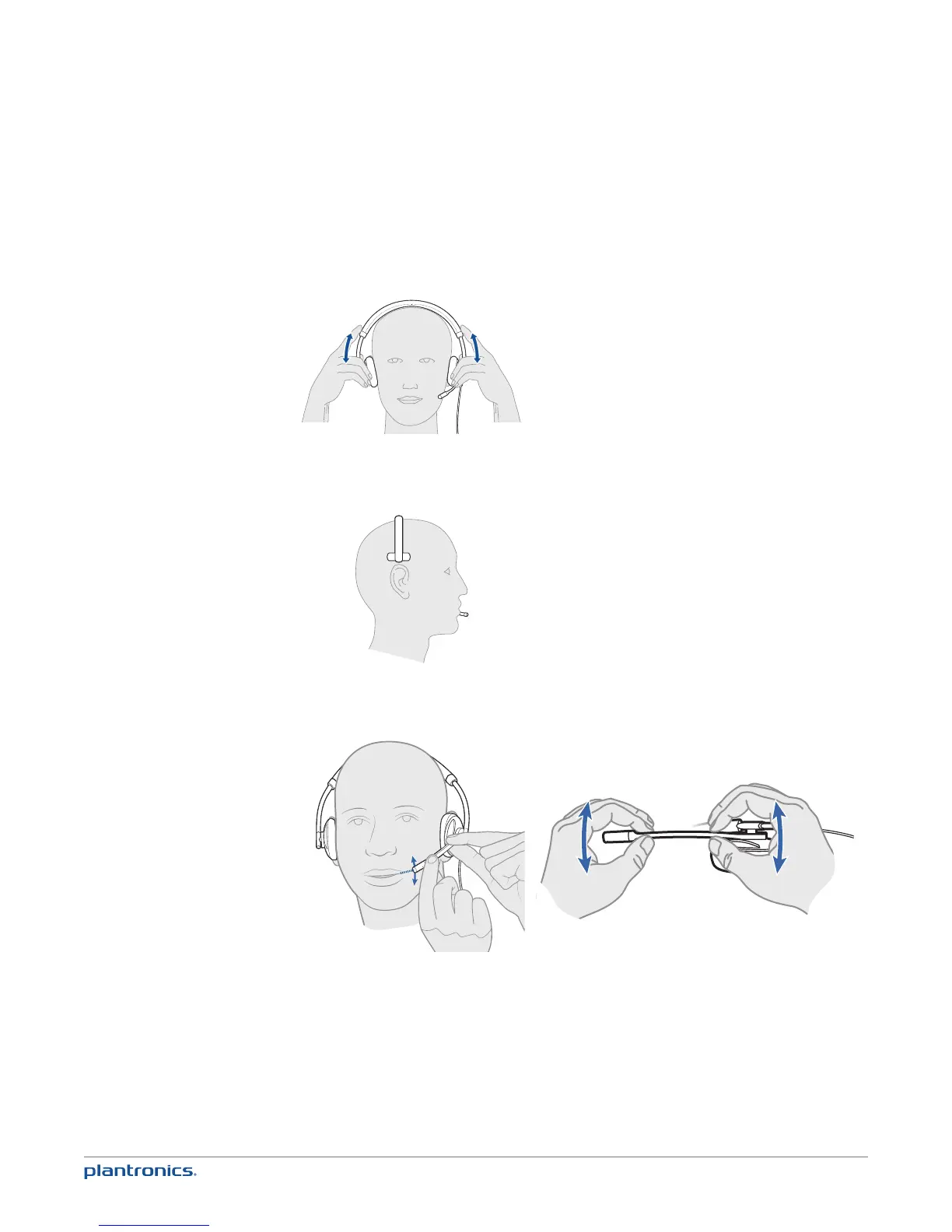
1 To adjust the headband, lengthen or shorten the band until it fits comfortably. Position the
headset receivers so that the cushions sit comfortably over the centre of your ears.
2 For the C710M headset, position the stabiliser T-bar above your ear.
3 Once the headset is positioned on your head, adjust the flexible boom so the tip of the boom
points to the corner of your mouth. The boom can be shaped to follow the curvature of your face.
NOTE The headset is designed for the boom to be worn on the left side of your face. To wear the
headset so the boom is on the right side, rotate the microphone boom upwards until it aligns with the
right corner of your mouth. Left and right audio channels will be switched.







 To Next Page