20
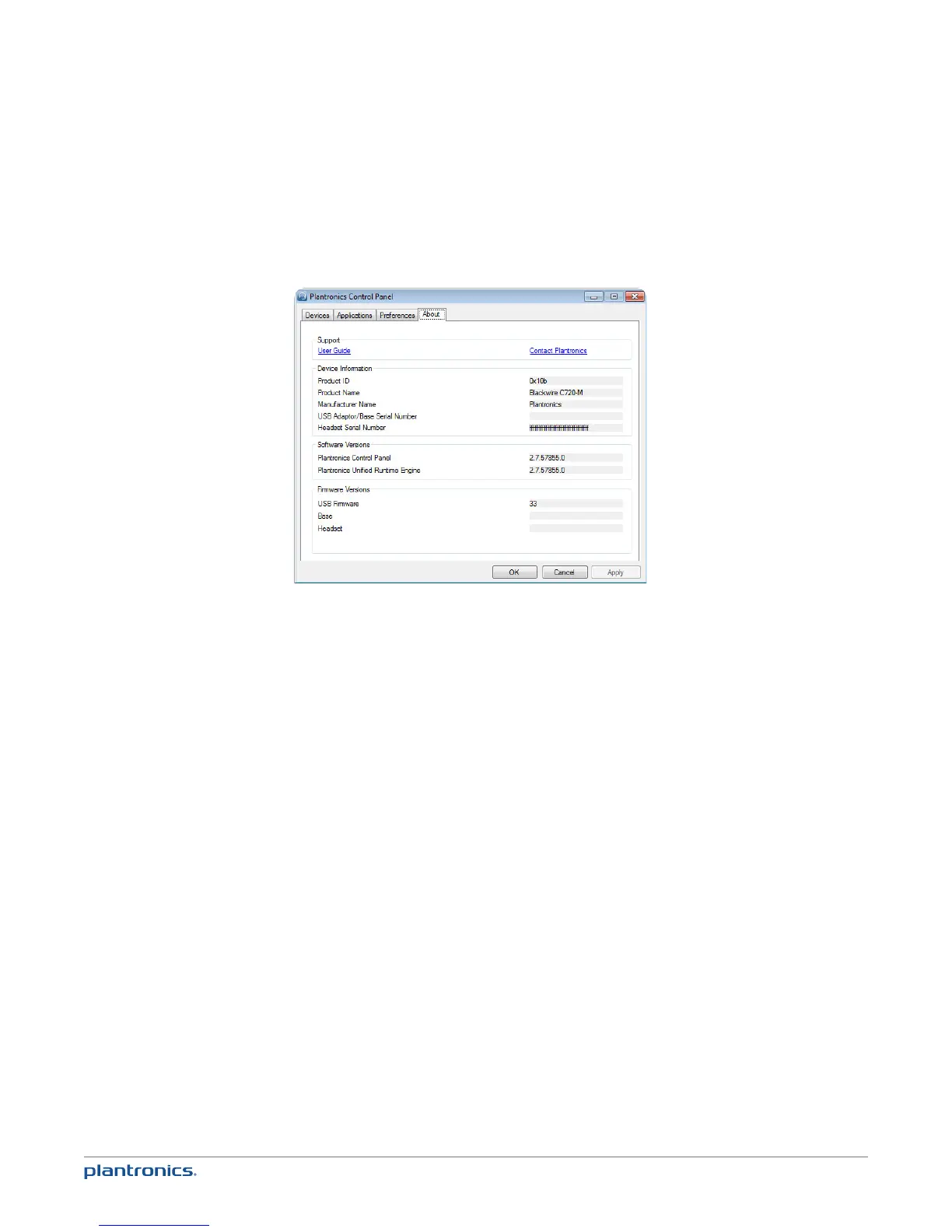
About tab
Provides online access to the user guide and support and displays your headset system’s
information.
Plantronics Update Manager
Check for updates automatically
By enabling this tick box, you will activate a periodic automatic check for available software
updates.
Check for updates now
You can choose to check for available software updates at any time by clicking on the Check For
Updates Now button in Update Manager: From the Start menu, click Programs, then Plantronics,
then open Plantronics Update Manager.
Install ticked updates
Following an AUTOMATIC or MANUAL CHECK FOR UPDATES, this field will be populated with any
applicable software updates and the INSTALL CHECKED UPDATES will begin installation.







 To Next Page