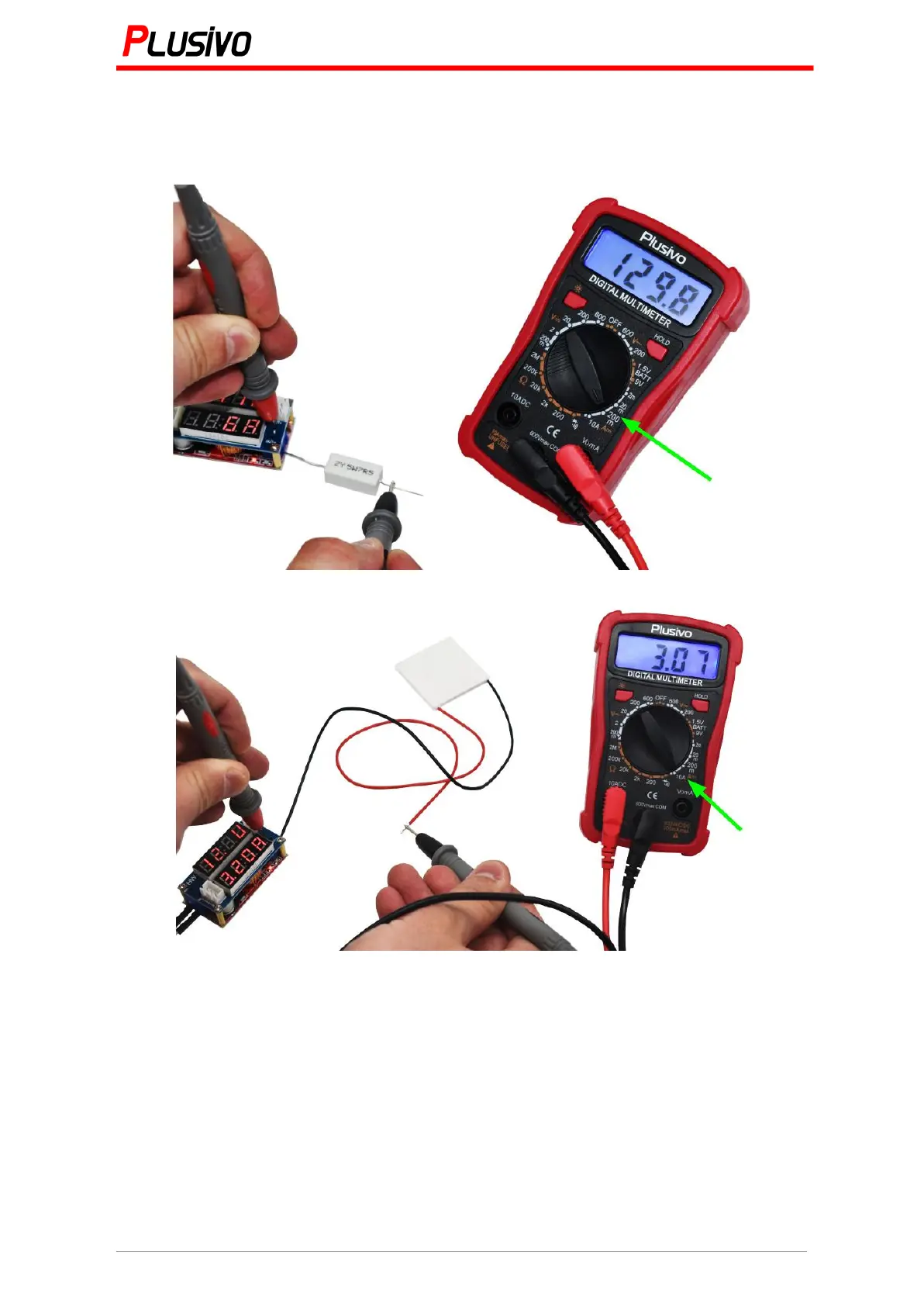
2. Put the range switch to the corresponding DC current range (Figure 4 is set at 200 mA
and Figure 5 is set at 10 A) and then put the multimeter (the 2 probes) in series with the part
of the circuit that you want to measure how much current it draws. The polarity will be shown
on the display.
Figure 4. The measured current in this figure is 129.8 mA.
Figure 5. The measured current in this figure is 3.07 A.
Note:
1. If the range of the current to be measured is unknown, put the range switch to the highest
rank, then according to the value displayed, turn to the corresponding range.
2. If the display is shown "1", this means that the range exceeded and the range switch must
be set to a higher gear.
3. The maximum input current is 200 mA or 10 A (depending on the port that the red probe
was inserted). If you try to measure a current higher than the maximum input specifications,
the fuse will blow. Check the fuse if you have no reading on the display.


 To Next Page