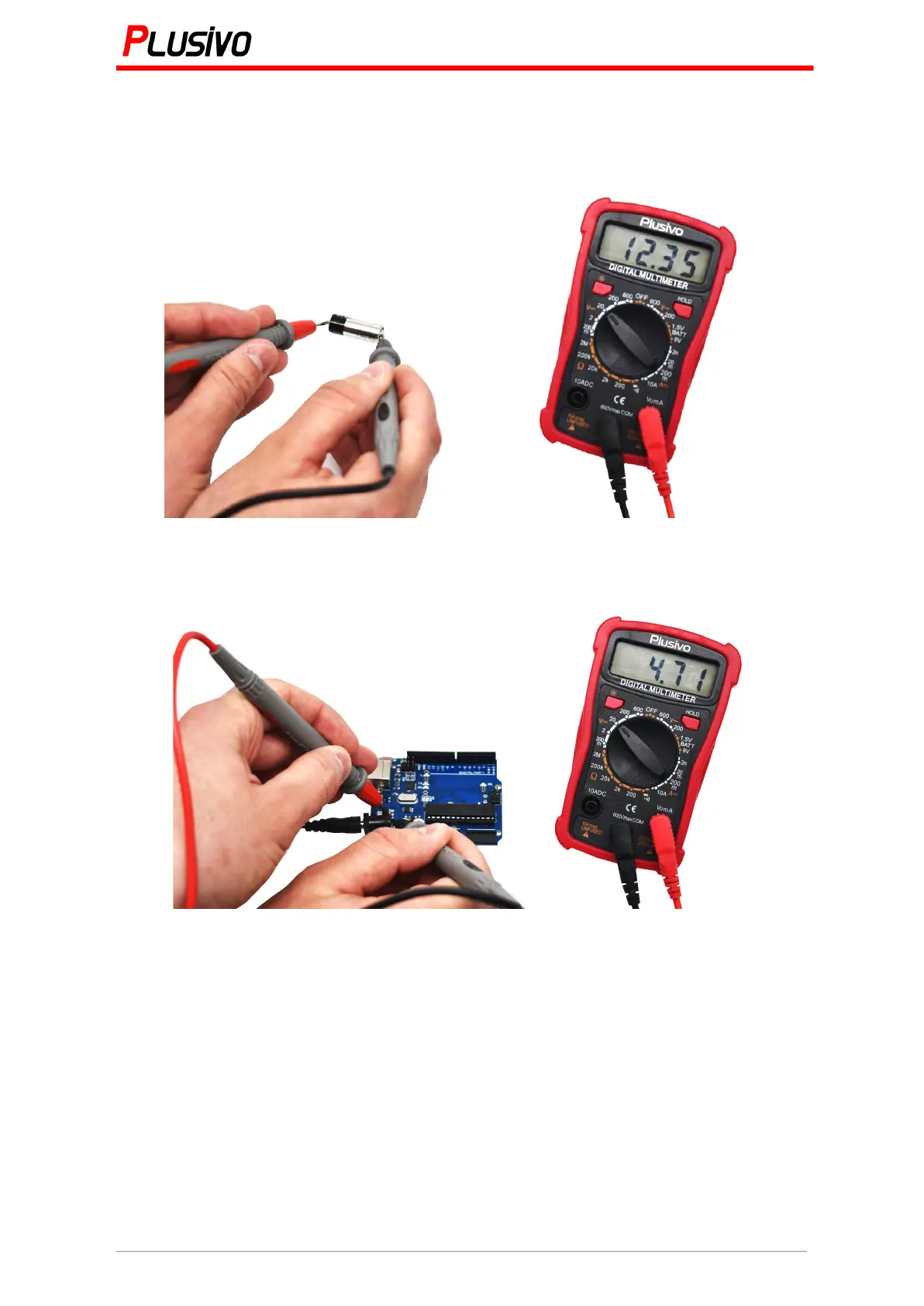
2. Put the range switch to the corresponding DC voltage range and then put the test probes
to the source to be measured. The polarity will be shown on the display.
Figure 1. The measured voltage in this figure is 12.35 V DC.
Figure 2. The measured voltage in this figure is 4.71 V DC.
Note:
1. If the range of the voltage to be measured is unknown, put the range switch to the highest
rank, then according to the value displayed, turn to the corresponding range
2. If on the display is shown "1", this means that the range is exceeded and the range switch
must be set to a higher gear
3. Do not measure a voltage over 600 V, because there is a risk to damage the instrument
circuit
4. When measuring a high voltage circuit, pay attention not to touch any high voltage part of
the circuit.


 To Next Page