4.2 Quick entrance with S7
Test environment
The following components are required for the test set-up:
w
Programming unit (PG740 recommended)
w
Automation unit
-
CPU315-2 DP
w
KS800-DP
w
Engineering set (order no. 9407 999 09x11)
w
Cable
-
PROFIBUS cable automation unit i KS800-DP
-
programming unit i automation unit
4.2.1 Example of a test environment:
A KS800-DP with address 5 shall be connected to a CPU315-2 DP via PROFIBUS-DP. Process data module
B is selected (8 process data channels and parameter channel). Data shall be transmitted in fix point format.
g
Before taking the test environment into operation, you should ensure that the automation units do not contain
user software (“initial clear”).
Procedure:
w
Establishing the communications
w
Configuring the instruments
-
Adjust address 5 on KS800-DP (via coding switch or engineering tool) and connect it to the
network.
- Activate bus terminating resistors at the controller connector and at the (S7) PLC connector.
w
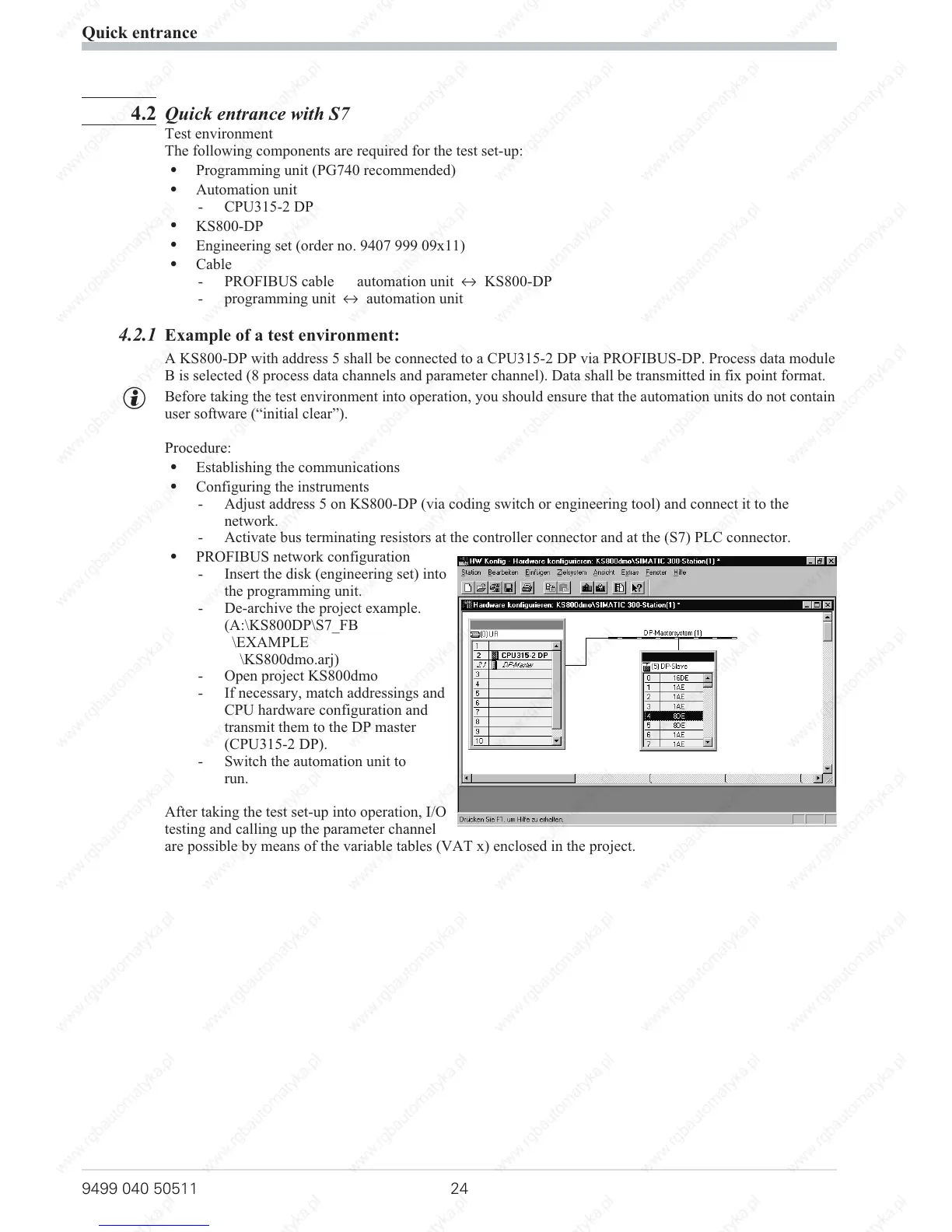
PROFIBUS network configuration
- Insert the disk (engineering set) into
the programming unit.
- De-archive the project example.
(A:\KS800DP\S7_FB
\EXAMPLE
\KS800dmo.arj)
- Open project KS800dmo
- If necessary, match addressings and
CPU hardware configuration and
transmit them to the DP master
(CPU315-2 DP).
-
Switch the automation unit to
run.
After taking the test set-up into operation, I/O
testing and calling up the parameter channel
are possible by means of the variable tables (VAT x) enclosed in the project.
Quick entrance
9499 040 50511 24



 To Next Page