0.00.102 PMDG 737NGX
TUTORIAL #2
27FEB15 RTM DO NOT DUPLICATE For Simulator Use Only
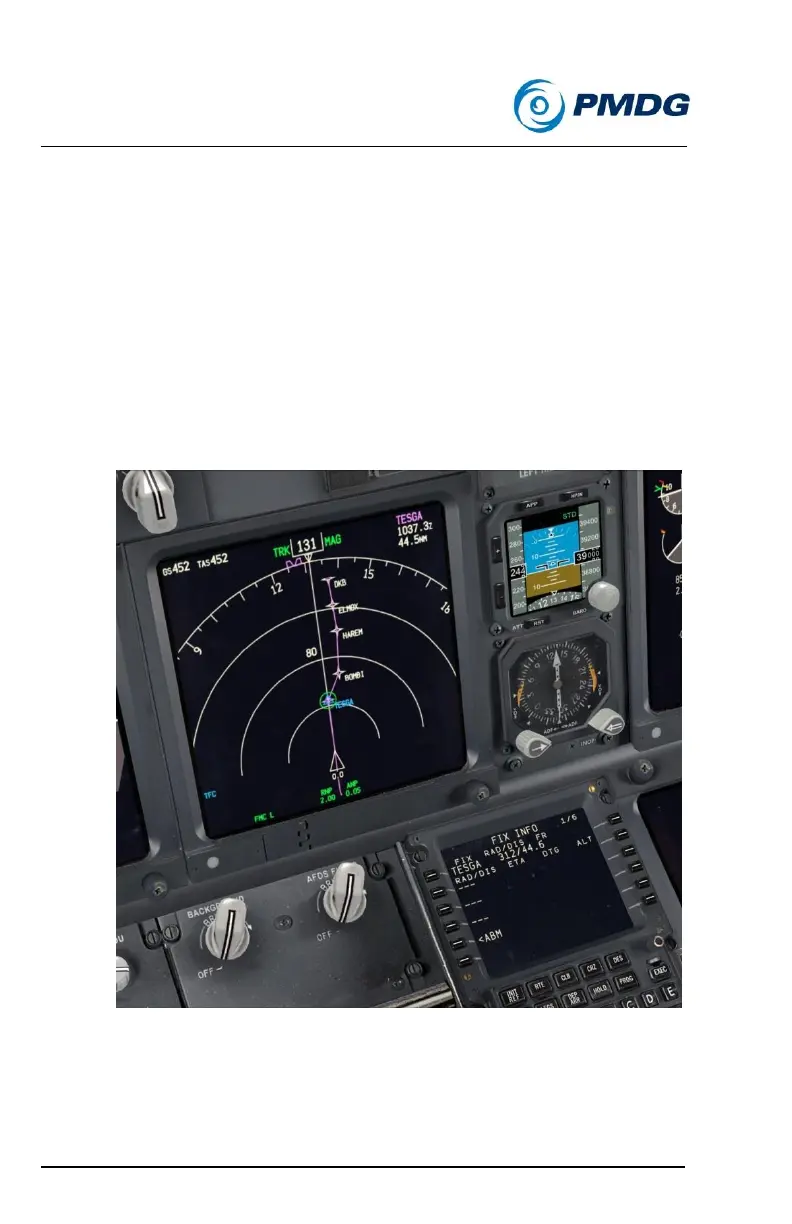
Let’s now take a look at some useful things you can do with the FIX page.
The FIX page allows you to set up to 6 reference positions that are drawn
on the ND in map mode. They can be anything – VORs, NDBs, airspace
fixes, airport ICAO identifiers, runways, ILS identifiers and so on. You can
then use the page’s lines to draw radial bearings and distance rings using
those points. This is extremely useful for drawing a graphical depiction of
complex radial and DME procedures in a SID, STAR or approach. We’ll
use it when we get to Innsbruck in fact.
Press the CDU FIX button.
Enter TESGA into LSK 1L.
A few things happen immediately.
o You see your current radial and distance to/from the FIX
on the CDU’s line 1.



 To Next Page