PMDG 737NGX 0.00.135
TUTORIAL #2
For Simulator Use Only DO NOT DUPLICATE 27FEB15 RTM
allows you to add VORs or NDBs directly however, which is why this will
be slightly less accurate than the method using the flightplan file.
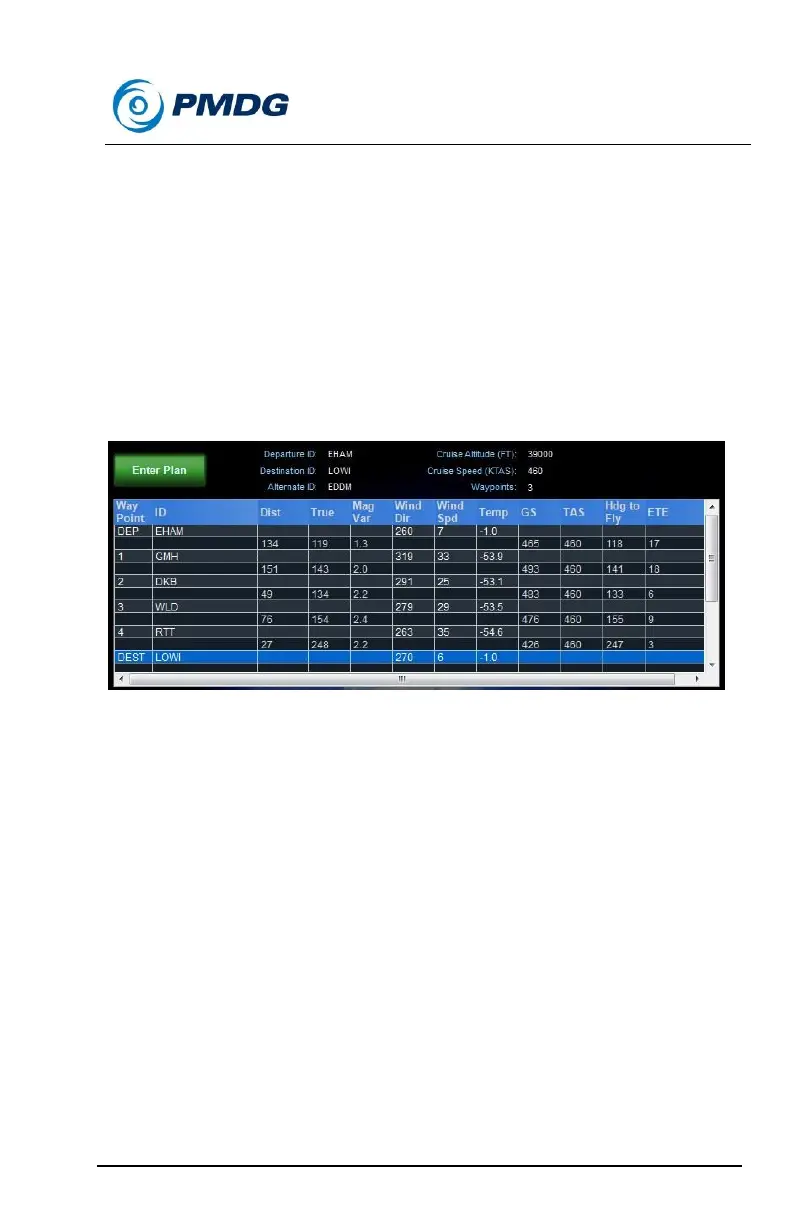
Click on the line that says DEST LOWI to select it.
Press the Add Waypoint button and type GMH into the ID box
and press OK.
Repeat these last two steps to add the following three waypoints
– DKB, WLD and RTT.
The plan part of the window should look like this:
Click the Refresh Plan button at the bottom of the window to take
the new waypoints into account.
We now have a pretty good approximation of the flightplan entered into
AS using the two VORs and one NDB that are part of the route. The rest
of the route’s waypoints are intersection fixes and cannot be entered
directly in AS’s interface.
Cruise wind entry:
Once a flightplan is loaded and processed, AS gives us a wealth of
information on the flightplan screen. Of particular importance however is
the bottom line of the top window pane, which shows us the average wind
direction, speed and air temperature along our route at our cruise altitude.
(this is on the Briefing page in ASN)
Note – uncheck the box that says “Show Surface Wind Information for
Dep, Dest and Alt (vs. Aloft)” – in this case we actually do want the aloft
average without any surface information.



 To Next Page