0.00.34 PMDG 737NGX
TUTORIAL #2
27FEB15 RTM DO NOT DUPLICATE For Simulator Use Only
to figure out the right amount to load or unload. In real life, airline
dispatchers use very sophisticated software that effectively has the
aircraft’s performance data and path solver integrated into the application.
Boeing produces a document called the Flight Planning & Performance
Manual that contains tables upon tables that describe this data. This data
was used in creating the PMDG 737NGX, but we weren’t allowed to
include the FPPM unfortunately.
For these reasons the most accurate method with an addon like this is to
move the fuel planning to later on in the preflight process so that we can
use the FMC’s own predictions to arrive at a value to use.
It is true that in real life you’d usually get the fuel values on the dispatch
papers and the aircraft would be fueled prior to preflight, but this is just the
work-around we have to use in the simulation environment to get
accurate predictions. We’ll get to the fuel planning in a minute.
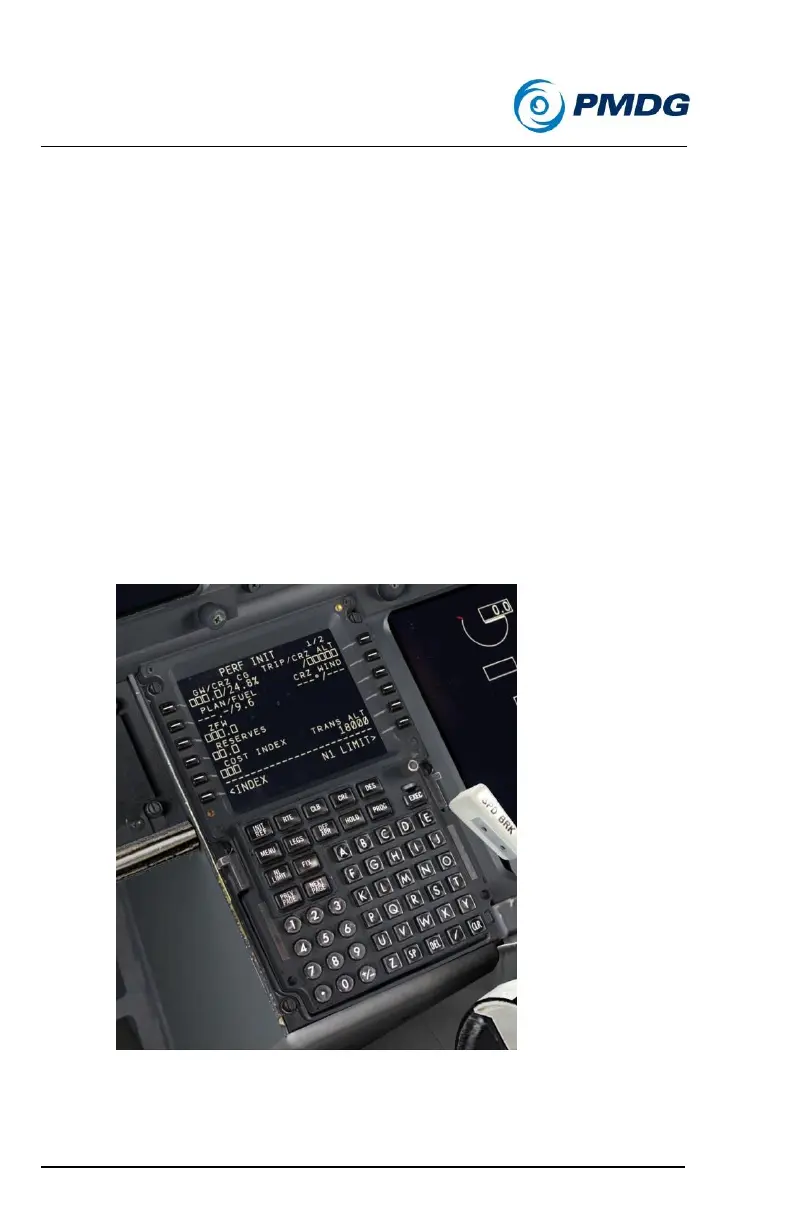
Press INIT REF to get to the PERF INIT page.
Enter the Zero Fuel Weight (ZFW) using the shortcut we learned
about in Tutorial #1 – click once on LSK 3L to copy the current
value to the scratchpad, then click LSK 3L to enter it. It should be



 To Next Page