PMDG 737NGX 0.00.59
TUTORIAL #2
For Simulator Use Only DO NOT DUPLICATE 27FEB15 RTM
Verify that the 1, APU, and 2 FIRE handles on the pedestal just
behind the thrust levers are in their IN (not pulled) position.
Left click the TEST switch and hold it in the FAULT/INOP
position.
While continuing to hold down the left mouse button, move the
mouse off of the switch and then let go of the button. The switch
will maintain its held position, allowing you to pan the view and
click other switches.
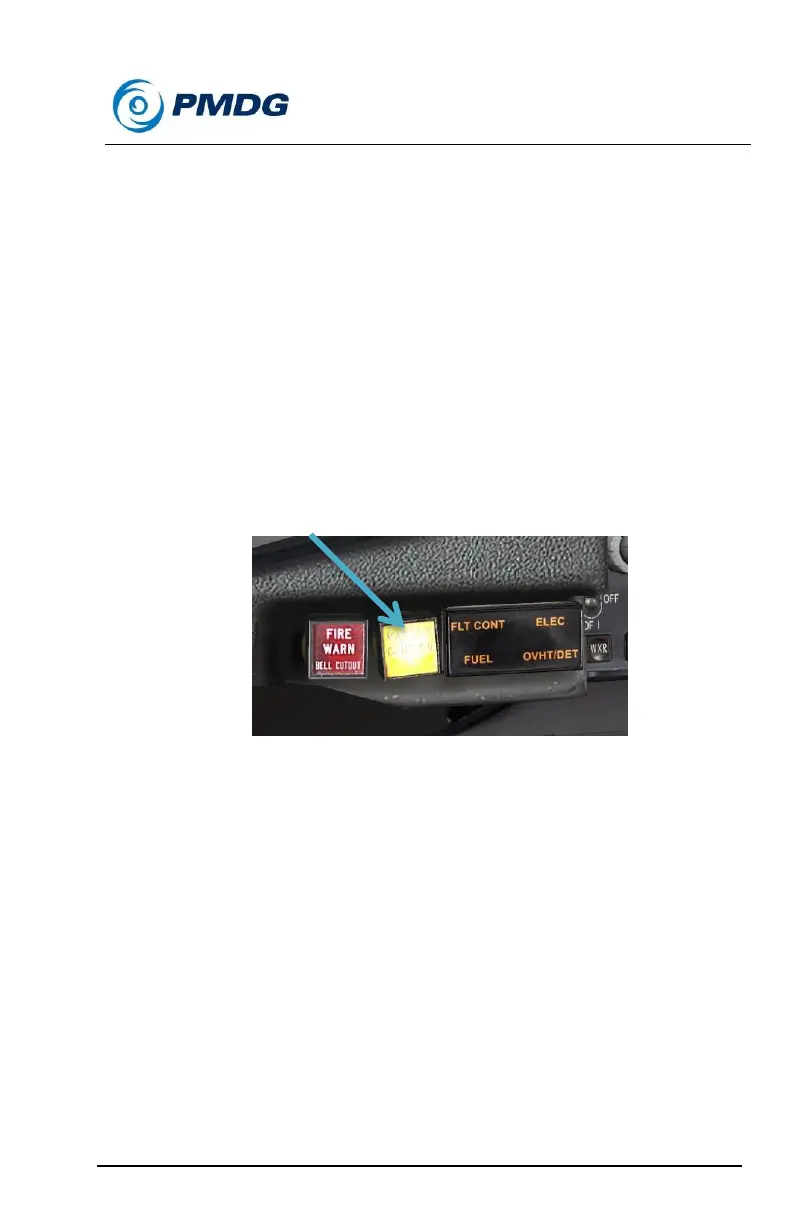
Verify the following items:
o The amber MASTER CAUTION lights and OVHT/DET
annunciator messages are illuminated on both the
captain’s and first officer’s glareshields.
o The FAULT and APU DET INOP lights both illuminate to
the right of the engine #1 fire handle.
Left click the TEST switch to spring it back to the center position.
Now right click the same TEST switch and hold it in the
OVHT/FIRE position.
As before, move the mouse off of the switch while holding it down
and then release it.
Verify the following items:
o The aural fire warning bell sounds.
o The red lights inside the pedestal 1, APU and 2 FIRE
handles are illuminated.



 To Next Page