PMDG 737NGX 0.00.95
TUTORIAL #2
For Simulator Use Only DO NOT DUPLICATE 27FEB15 RTM
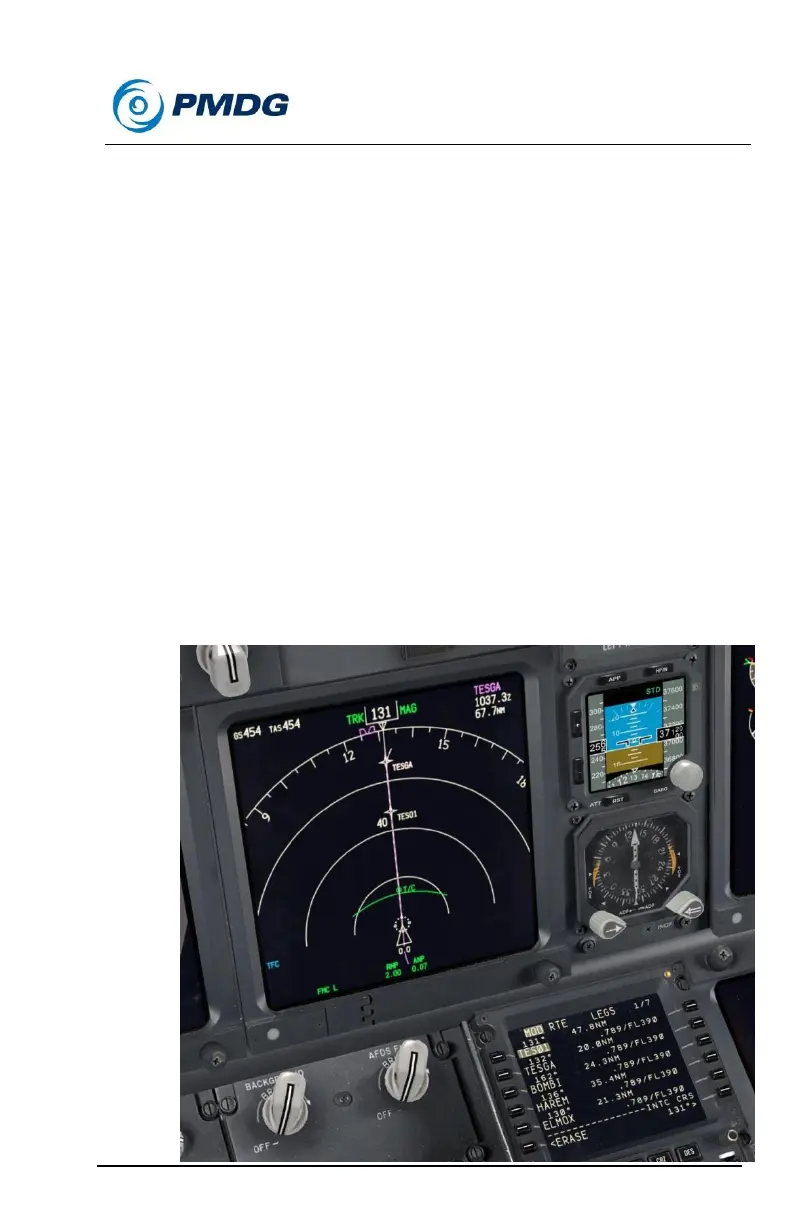
Wait until TESGA is visible on the 80nm ND range and then proceed to
the next section.
There are several other route modification features that are somewhat
commonly used. You should know how to do these if you’re planning to
fly on VATSIM or IVAO with live human ATC.
Let’s try creating an along-track waypoint. This would be used if ATC
gave you a command to cross a certain mileage before or after a
waypoint at a certain altitude.
Press LSK 1L to copy TESGA to the scratchpad.
Type /-20 after it - the full entry looks like TESGA/-20
Press LSK 1L to enter the new waypoint.
TES01 is created – this waypoint is 20nm before TESGA along
our current flightpath. The negative sign makes it before – to
place one after TESGA, the syntax would be TESGA/20. You can
see the new waypoint on the ND as well.



 To Next Page