PMDG 737NGX 0.00.99
TUTORIAL #2
For Simulator Use Only DO NOT DUPLICATE 27FEB15 RTM
In instances such as weather avoidance it may be necessary to offset
your route of flight to the left or right of the planned route. This is easy to
do with the PMDG 737NGX FMC.
Press INIT REF, then LSK 6L for INDEX.
Press LSK 6L again for the OFFSET page.
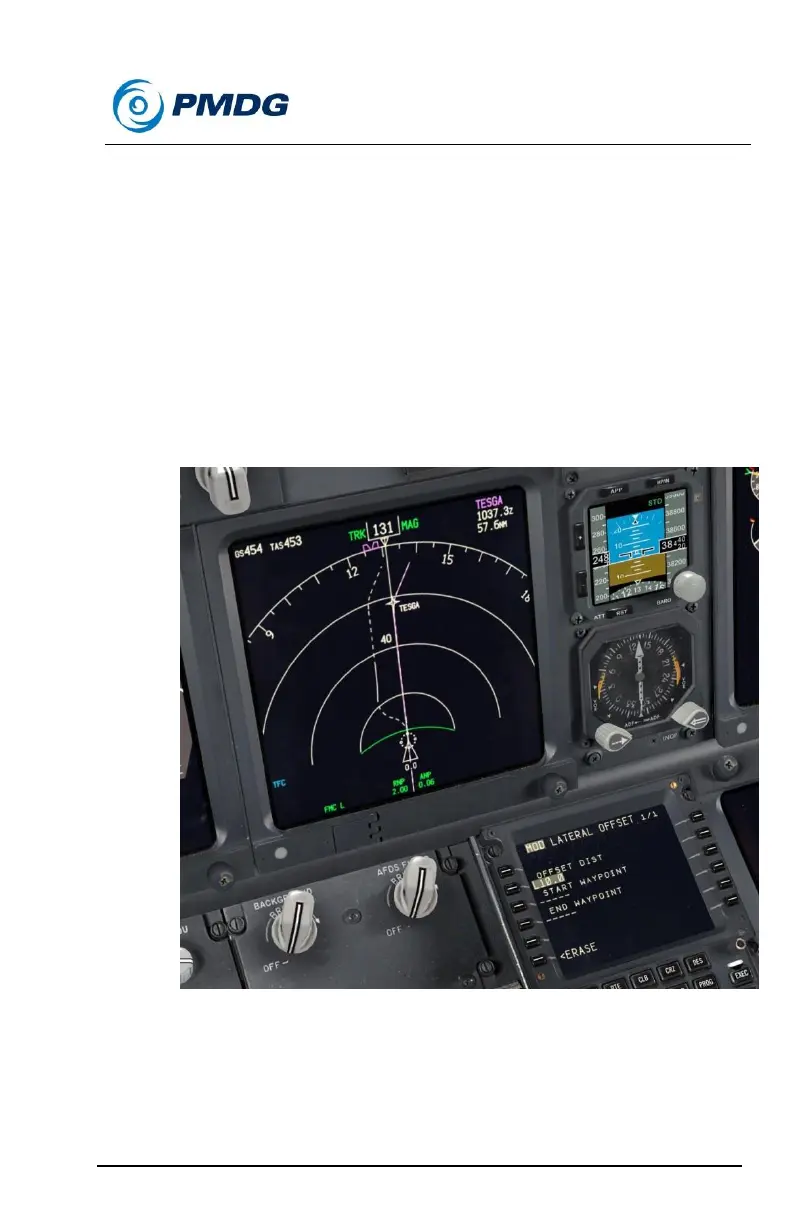
Enter L10 into LSK 2L for a 10nm offset to the left of our course.
(for right you’d type R10)
Notice the dashed white line on the ND showing the parallel
course.
Right now we’ve told it to offset the entire route. However we can
be more specific than this and define the offset as happening
between two waypoints.
Set the ND to 80nm range.



 To Next Page