Bank account no.: Rabobank 16 01 00 046
Chamber of commerce 27 16 95 41
IBAN Code: NL95 RABO
T. 31 (0) 10 522 43 73
F. 31 (0) 10 521 19 41
www.tamson.com
info@tamson.com
P.M. Tamson Instruments bv
van 't Hoffstraat 12
2665 JL Bleiswijk
THE NETHERLANDS
Tamson Instruments bv
Thermometer man.docx Rev 1.02 UK “23
8.4 Starting Tamcom
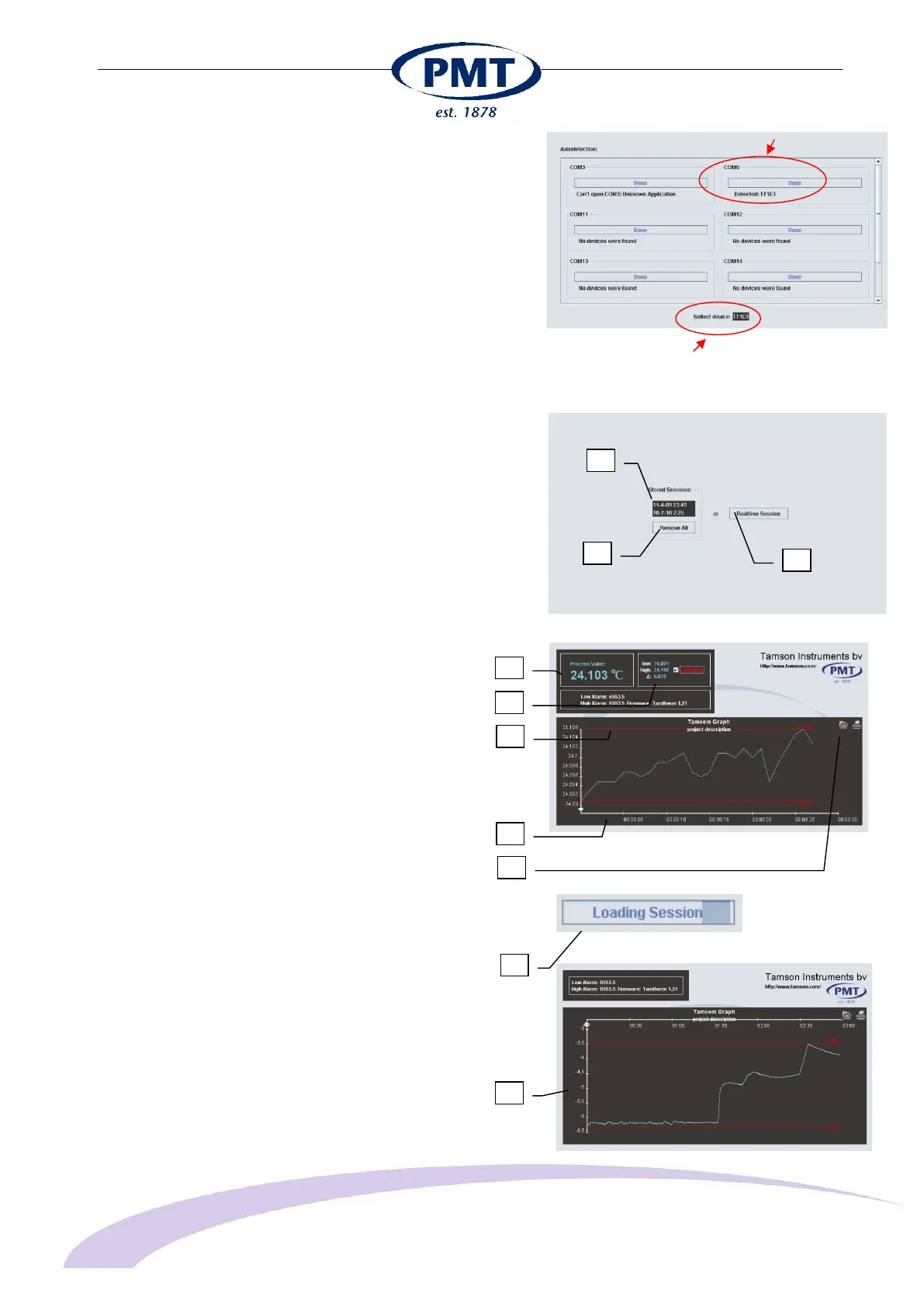
When the thermometer is connected and the Tamcom
software is started, it will automatically find the thermometer.
When detected, a list of measurements in memory is
displayed. There are three options here:
1: Clear memory (remove all)
2: Select one of the measurements from memory. In this
example click on "10-7-10 2:25" or "11-4-09 23:24" to
load the measurement.
3: Display real time session.
8.4.1 Real time session
1 Temperature
2 Highest and lowest values
Delta measured
Toggle limit lines 3 Limit lines
4 Time axis
5 Store or print
8.4.2 Stored session
When selected, data is loaded from memory. A timer is
displayed (1).
When ready the graph is displayed (2).
Thermometer detected
on COM 5
Thermometer detected
on COM 5
1
2
3
1
2
3
4
5
1
2


 To Next Page