EasyManua.ls Logo

Pneumatech PH 230 HE - Page 33

Pneumatech PH 230 HE
66 pages
Print Icon
To Next Page IconTo Next Page
To Previous Page IconTo Previous Page
Loading...
Text on figure
(1)
Ethernet
(2)
IP Address
(3)
Subnet mask
(4)
Gateway IP
(5)
Modify
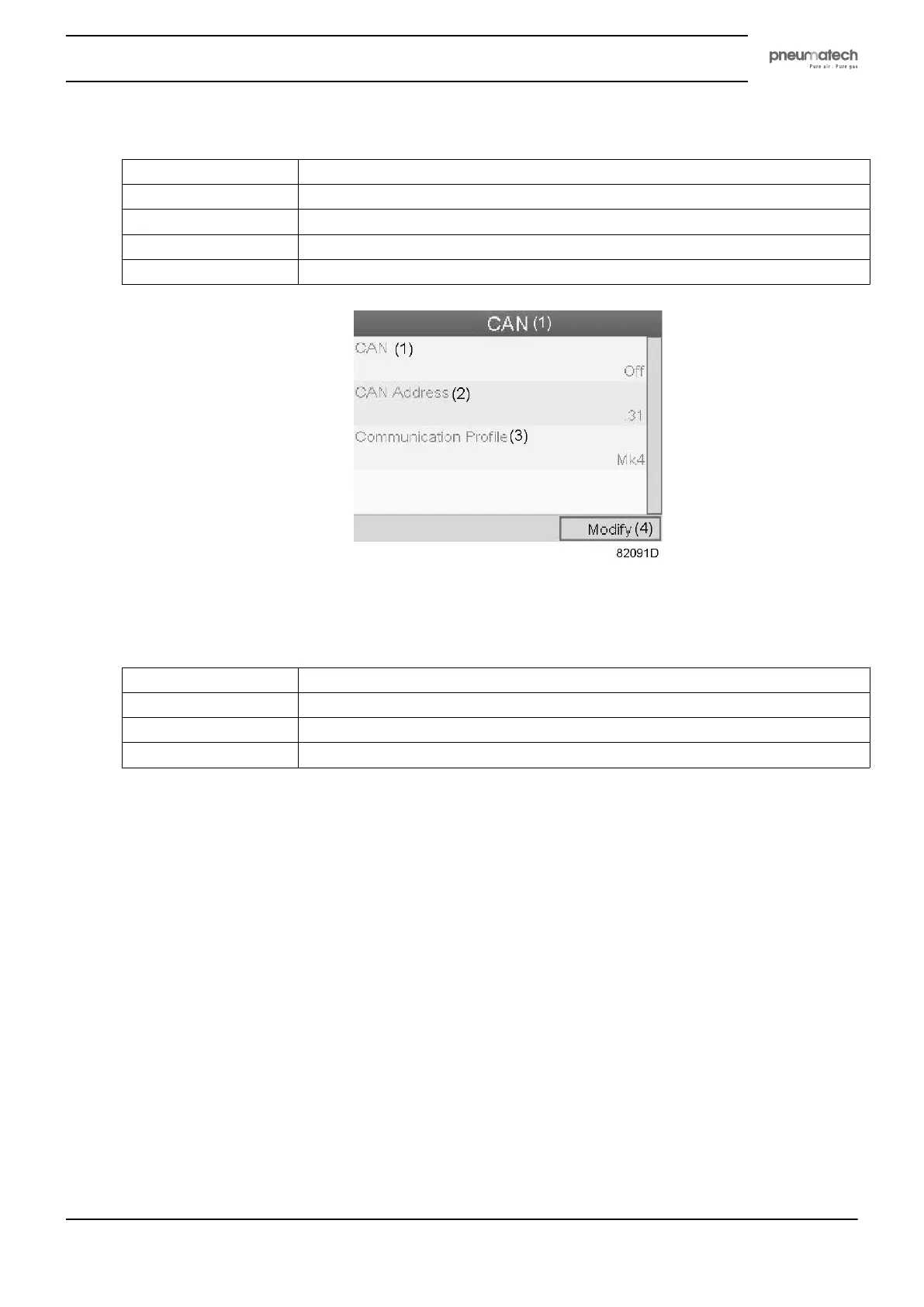
Screen for CAN settings
Text on figure
(1)
CAN
(2)
CAN Address
(3)
Communication profile
(4)
Modify
Press the Enter button; a red selection bar is covering the first item (Ethernet ).
Using the Scroll keys, move the cursor to the setting to be modified (e.g. Ethernet ) and press the
Enter button (2).
A pop-up screen appears. Use the ↑ or ↓ key to select the required parameter and press the Enter key
to confirm.
General settings
Select the General settings icon as described above and press the Enter button (2). Following screen
appears:
Instruction book
2920 1891 00 31

Related product manuals