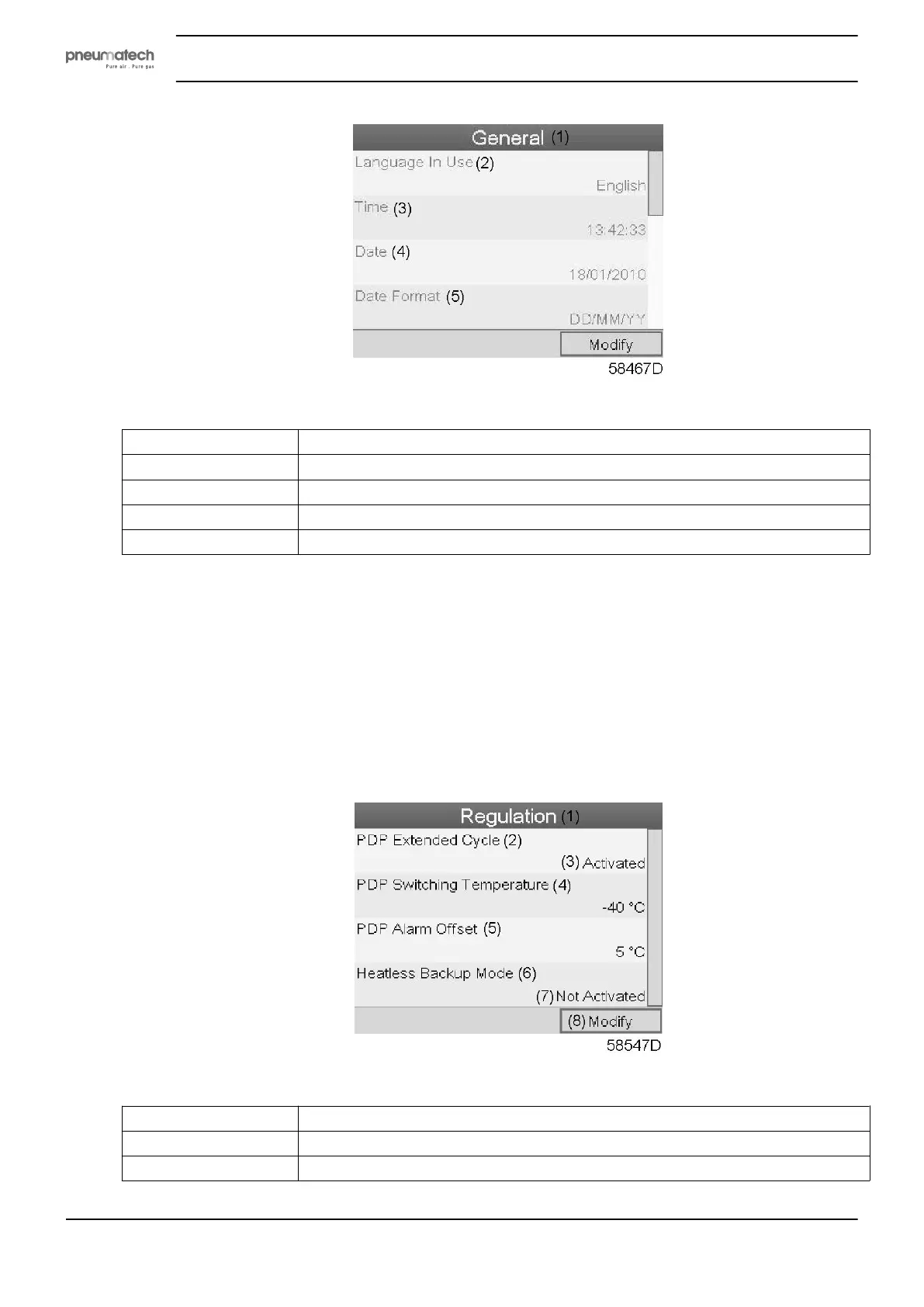
Text on figure
(1)
General
(2)
Language in use
(3)
Time
(4)
Date
(5)
Date format
• The screen shows the first items of a list of all settings. Use the scroll button to see the other items in
the list.
• Press the Enter button (2); a red selection bar is covering the first item (Language in use).
Use the ↓ key of the Scroll keys to select the setting to be modified and press the Enter key.
• A pop-up screen appears. Use the ↑ or ↓ key to select the required parameter and press the Enter key
to confirm.
Regulation settings
• Select the Regulation icon as described above and press the Enter button (2). Following screen
appears:
Text on figure
(1)
Regulation
(2)
PDP extended cycle
(3)
Activated
Instruction book
32 2920 1891 00


 To Next Page