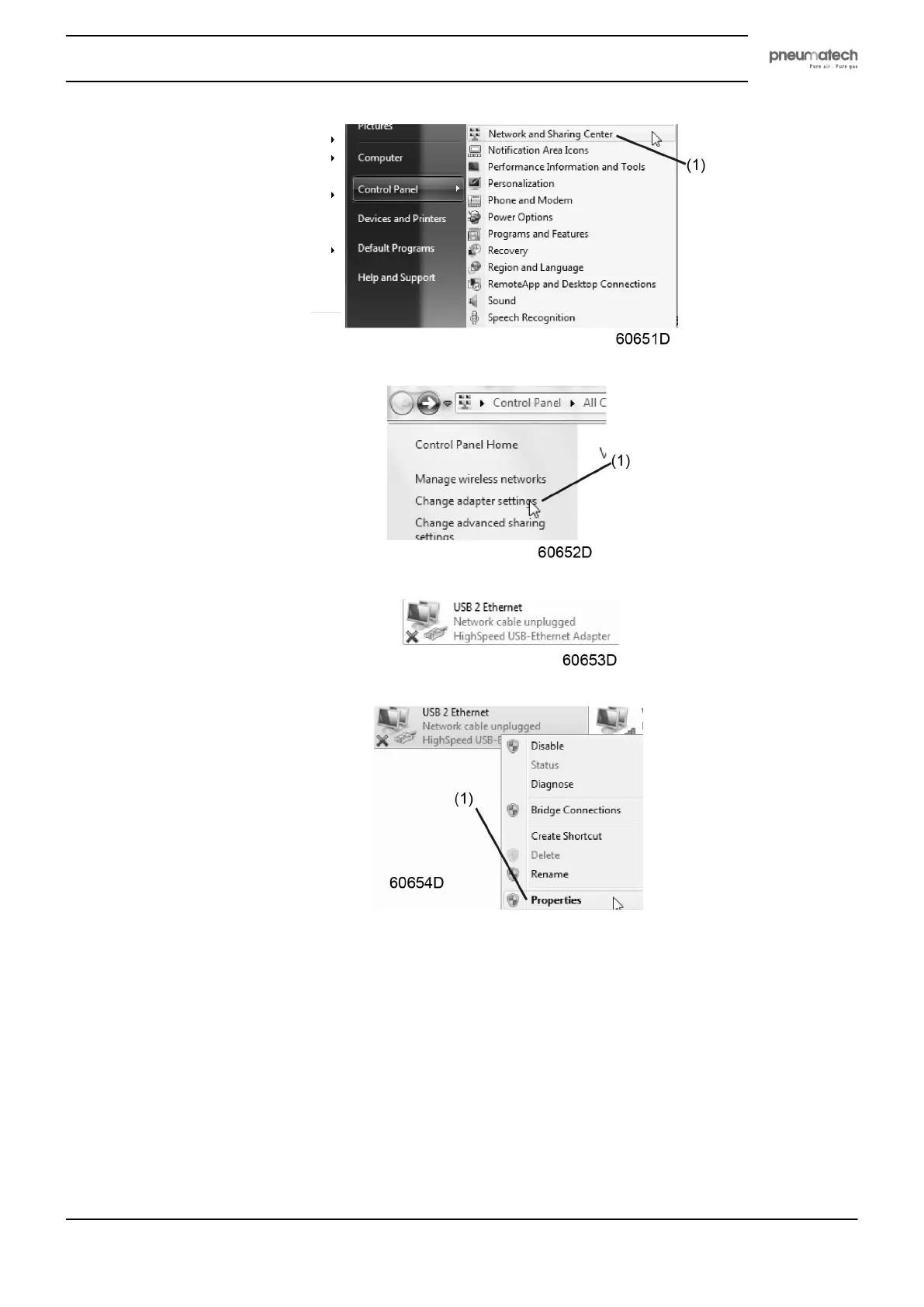
• Click on Change adapter settings (1).
• Select the Local Area Connection, which is connected to the controller.
• Click with the right button and select Properties (1).
• Use the check box Internet Protocol version +4 (TCP/IPv4) (1) (see picture). To avoid conflicts,
uncheck other properties if they are checked. After selecting TCP/IPv4, click on the Properties button
(2) to change the settings.
Instruction book
2920 1891 00 35


 To Next Page