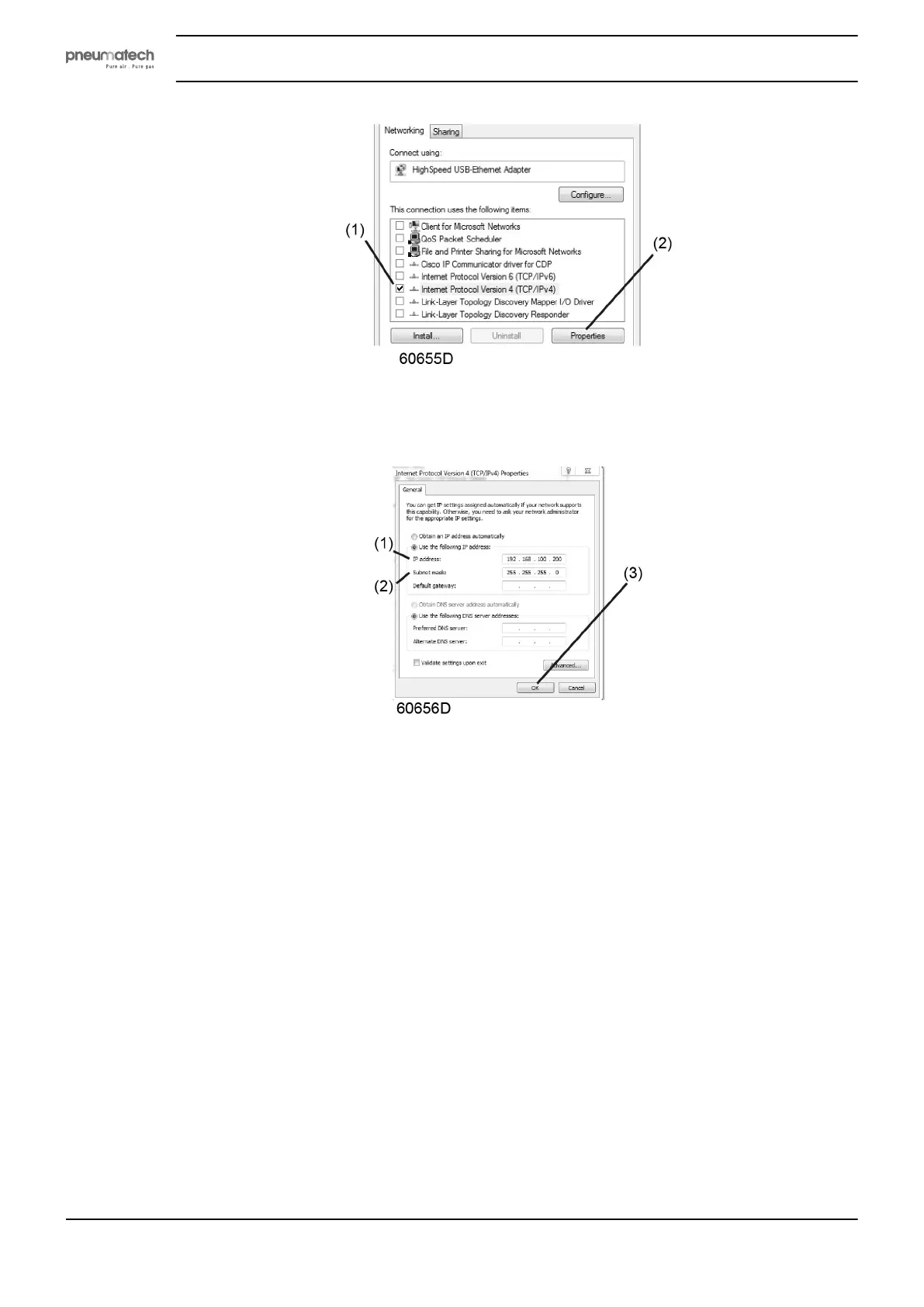
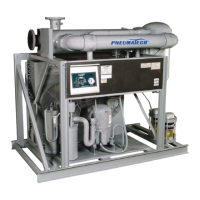
• Use the following settings:
• IP Address 192.168.100.200 (1)
• Subnetmask 255.255.255.0 (2)
Click OK (3) and close network connections.
Configure a company network (LAN) connection
• Ask your IT department to generate a fixed IP address in your company’s network.
• That IP address will be excluded from the DNS server, so it will be reserved for the controller.
• Also get the correct Gateway and Subnet mask settings. For example:
• IP = 10.25.43.200
• Gateway = 10.25.42.250
• Subnet mask = 255.255.254.0
• Connect the controller to the company's network (LAN) by using a UTP cable (min. CAT 5e).
Instruction book
36 2920 1891 00


 To Next Page