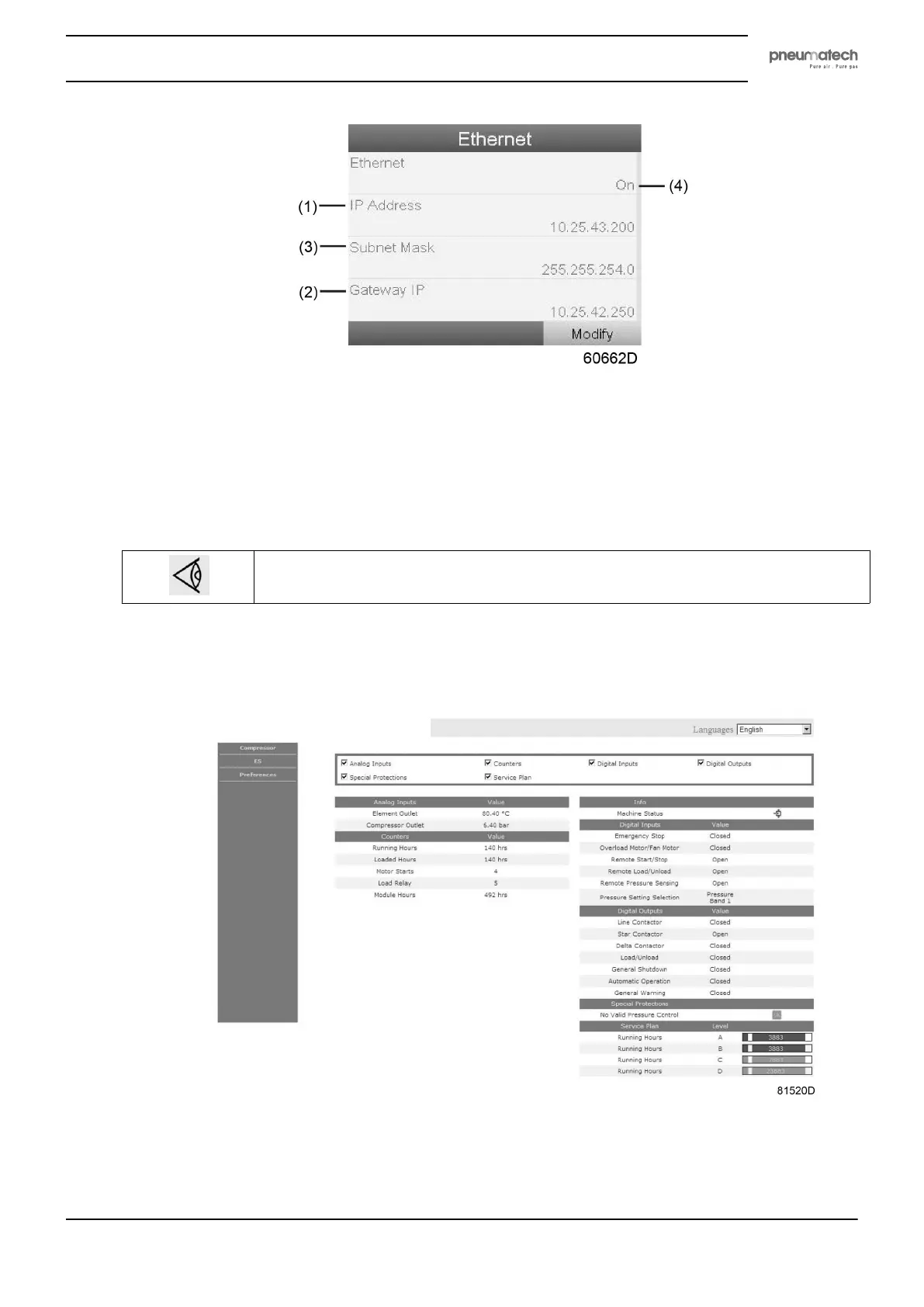
• Wait a few minutes so the LAN network can connect to the controller
Configuration of the web server
The internal web server is designed and tested for Microsoft
®
Internet Explorer.
Also "Opera", "Mozilla Firefox", "Safari"and "Chrome" should work.
Viewing the controller data
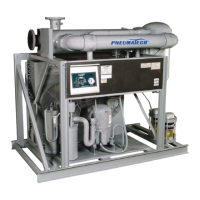
All screen shots are indicative. The number of displayed fields depends on the selected
options.
• Open your browser and type the IP address of the controller you want to view in your browser (in this
example http://192.168.100.100). The interface opens:
Screen shot (example!)
Instruction book
2920 1891 00 39


 To Next Page