LC1000 INSTRUCTION MANUAL OPERATION
PAGE 28
SECTION 4 OPERATION
4.1 GENERAL
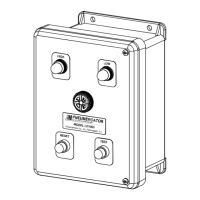
The LC1000 Alarm system provides three (3) functions when a field sensor experiences an alarm
condition: A light comes on, a horn annunciates and a relay changes state. The horn may be
silenced by pressing the RESET button, but the light will stay on and the relay will remain in the
alarm state as long as the field sensor remains in the alarm condition, e.g., high liquid level. After
the alarm condition is corrected, i.e., lowering the liquid level below the level switch setting, the
alarm light will extinguish, the relay will return to its normal state, and the horn will automatically
reset to the silent state. The behavior of the relay for the reset process can be changed to allow
the relay to be returned to the normal state upon acknowledging the alarm (See section 3.1). On
multiple sensor consoles, each input switch will actuate the horn and its respective light
independent of the other sensor's state or the prior state of the alarm console. NOTE: Each input
switch must be of the same normal state on each PC Board for proper operation. The TEST button
manually energizes the horn, all lights, and all output relays on the console. This is accomplished
by simulating all inputs as being in the alarm state. If all inputs are in the alarm state PRIOR to
pressing the TEST button, the TEST button will not have any function.
4.2 HORN CONTROLS
In addition to silencing the horn by pressing the "Reset" button, four other horn controls are
available:
Loudness Level - A louver on the horn face may be adjusted by hand to decrease the
output sound from about 86 decibels to about 50 decibels.
Automatic Silence (Optional) - A potentiometer on the PC board (see Section 3.1) allows
selecting a time delay interval after which the horn will silence automatically, without
pressing the "reset" button. This is an optional feature, designed by the Model Number
Suffix "-ASC." The time delay period ranges from a minimum of about 30 seconds to a
maximum of about 3 minutes. This feature can be disabled by changing a jumper setting
(see Section 3.1).
External Horn Reset - If it is desired to have the LC1000 also control and silence an
external, remotely mounted horn, this can be done by wiring the output relay contacts for
the selected channel in series with your external horn and its power source. In addition, a
PC board jumper must be removed (see Section 3.1). Note that implementing this feature
eliminates using the associated relay contacts for other control devices. Use an external
horn that is rated 2A@120VAC or less for this feature.
Horn Silence From a Remote Location - If it is desired to silence the LC1000 horn from a
separate location, this can be done by running a pair of wires from your own normally
open, momentary pushbutton switch in parallel with the LC1000 RESET switch normally
open contact positions. Separate power is not required.


 To Next Page
 Loading...