Reading Books 44
you will reach the largest/smallest one, text will change to
smallest/largest.
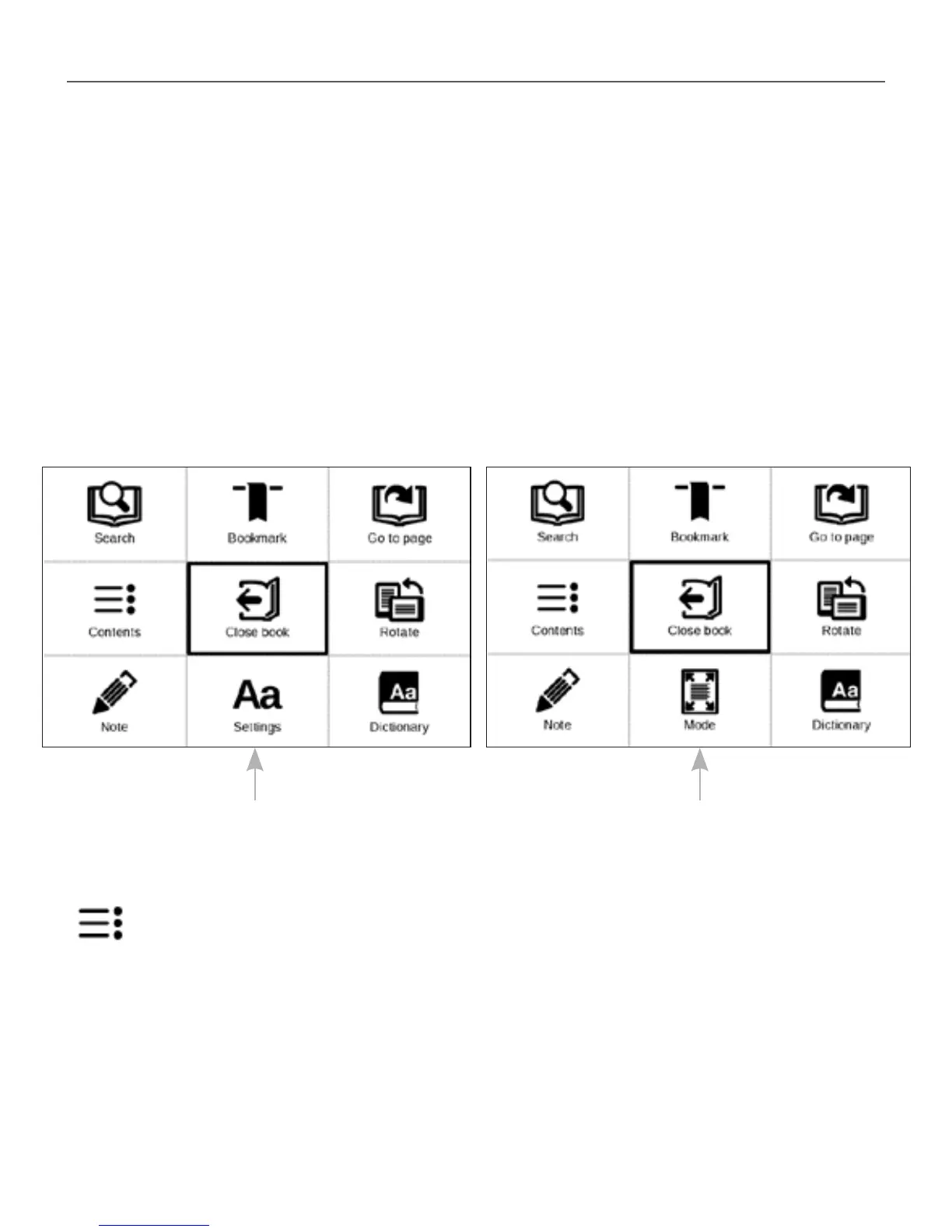
READING MENU
To access reader application menu press OK button.
Contents
Opens structured content of the book if present, otherwise
you’ll get message about missing table of contents. Active
contents display table of contents, bookmarks and notes
Reading menu for books in FB2, TXT,
RTF, HTML, PRC, CHM, EPUB formats
Reading menu for books
in PDF, Djvu formats














 To Next Page