Getting Started 17
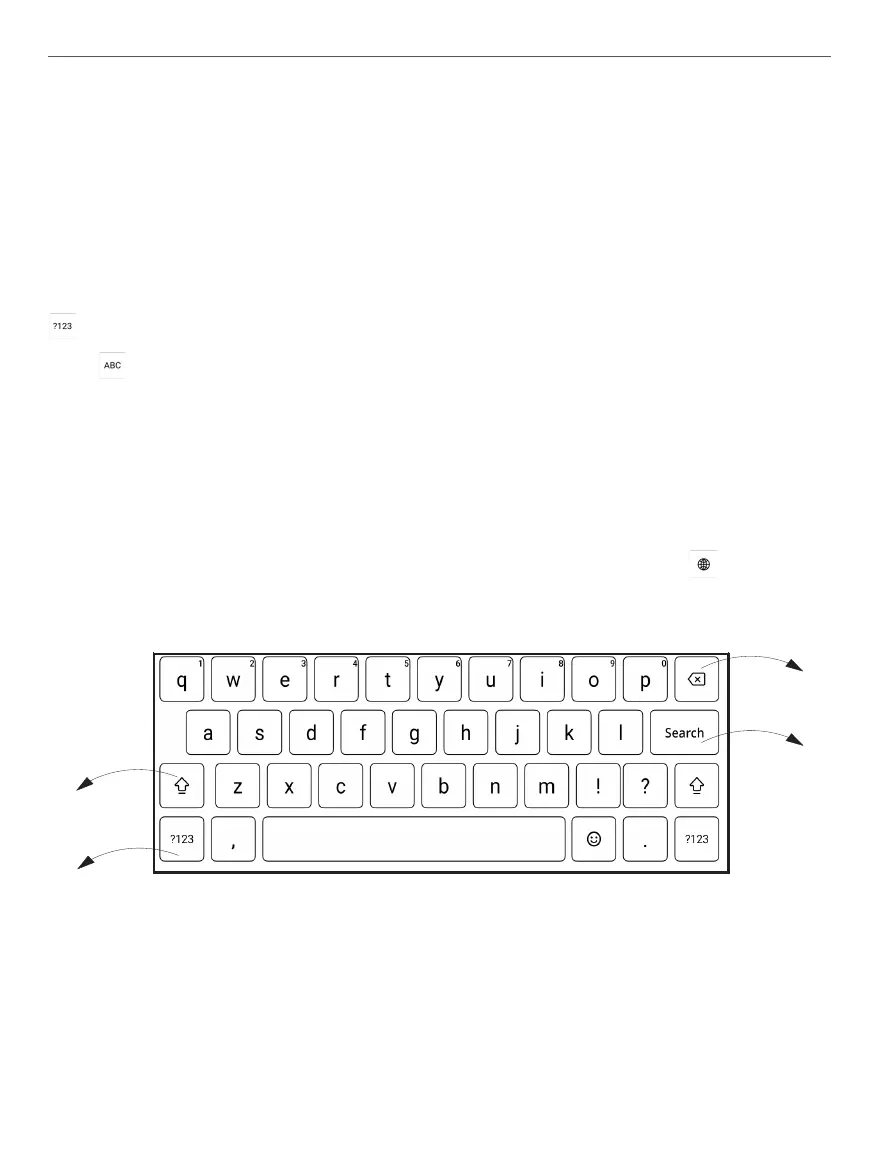
To type a character, tap a dedicated button. To type a special
character, long press a dedicated button. Select the requisite
special character in the drop-down list.
To switch from an alphabetical to a numerical keyboard, tap
. To switch from a numerical to an alphabetical keyboard,
tap .
To add a new keyboard language, go to Settings > System >
Language and input and choose Languages.
To switch to a different keyboard language, tap . The se-
lected language is displayed on the spacebar.
4
2
1
3
1. Change case;
2. Enter the typed text;
3. Switching keyboard modes;
4. Erase last typed symbol.



 To Next Page