Getting Started
Camera Settings
Flash Settings
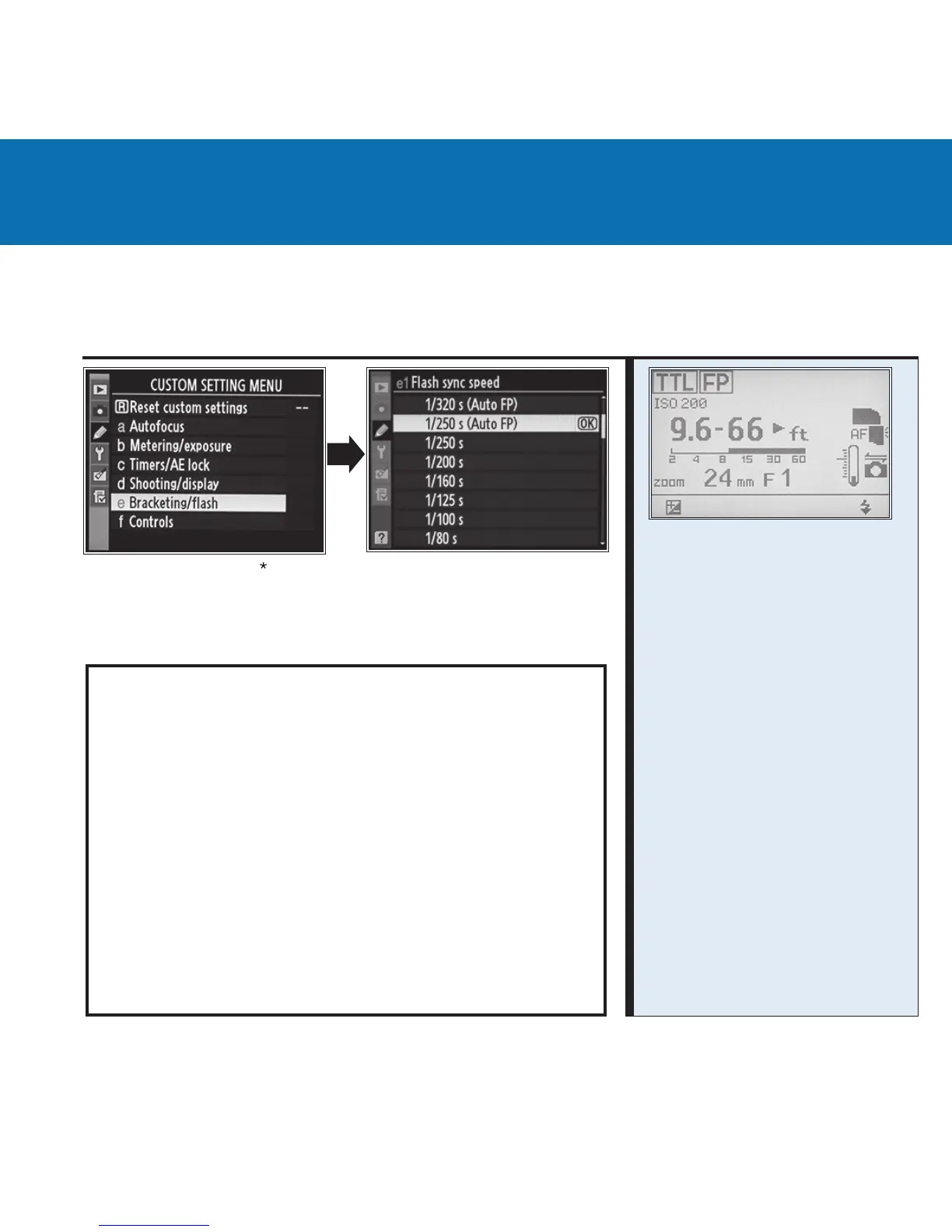
Set Custom Setting “e1 Flash sync speed” to “1/250 s (Auto
FP)” to enable smooth transitions from standard ash to FP
ash mode. Do not use 1/320 s (Auto FP).
VR Lenses: Switching the VR mode of lenses ON or
OFF while the MiniTT1 and FlexTT5 are being used may
require a “test shot” at 1/125 to recalibrate the system.
Nikon modes not currently supported:
• Mirror Up Mode
• Exposure Delay Mode
• Repeater / RPT Mode
• Flash control using the camera’s menus
For more operational information, please go to:
wiki.PocketWizard.com
• Remote ashes must be
set to standard TTL and not
REMOTE or MASTER.
• The display on remote
ashes attached to FlexTT5
radios will not change with
camera setting changes.
• SB900: “Illumination
Pattern” must be set at
“Standard”.
See Nikon Manual.
• On-camera ash must
be set to MASTER to
trigger or control remote
ashes.
Nikon Camera and Flash Settings



 To Next Page