17
GB
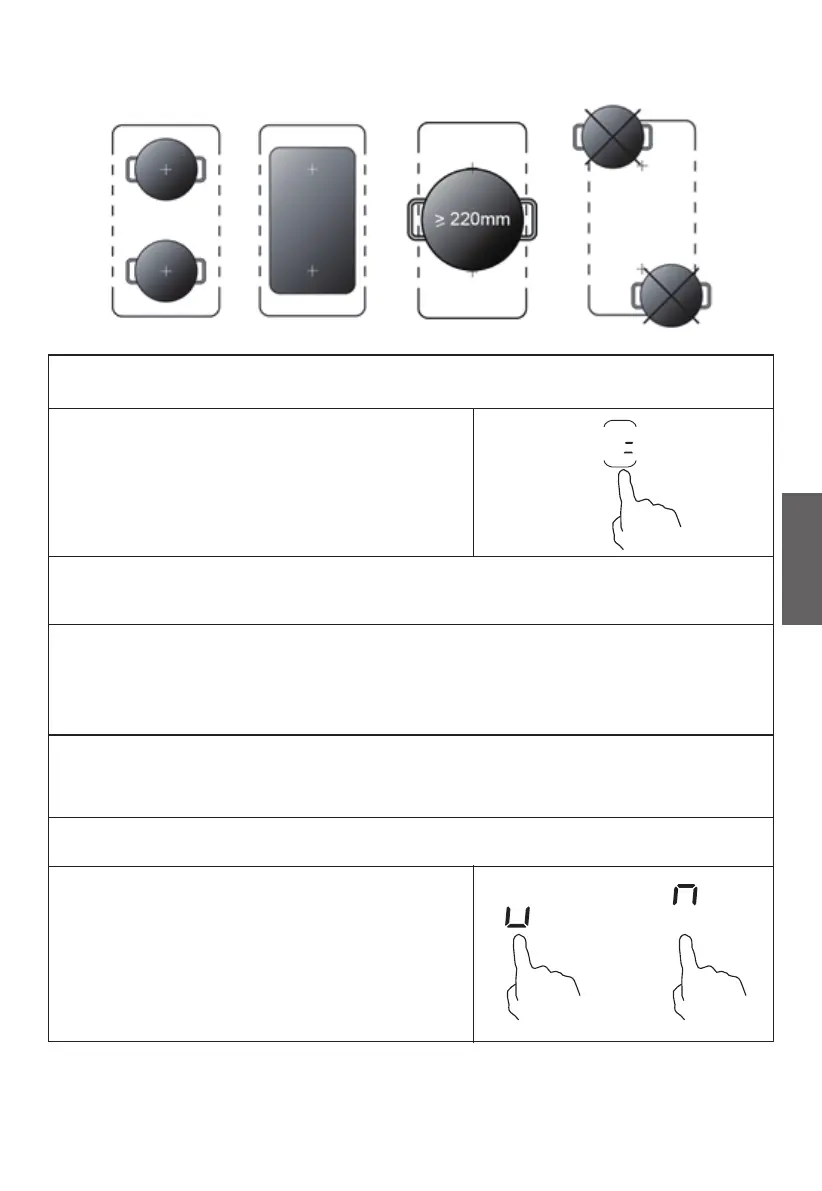
Examples of good pot placement and bad pot placement.
To activate the free area as a single big
zone, simply press the dedicated key.
To use the flexible area as two dierent
zones with dierent power settings,
press the dedicated keys.
The power setting works as any other normal area.
If the pot is moved from the front to the rear part (or vice versa), the
flexible area detects automatically the new position, keeping the same
power.
To add a further pot, press again the dedicated keys, in order to
detect the cookware.
Activate the boost function
As two independent zones
OR


 To Next Page