EasyManua.ls Logo

point 5 Series - User Manual

point 5 Series
184 pages
Print Icon
To Next Page IconTo Next Page
Loading...
POIH5077I4B
User Manual
Induction Hob

Other manuals for point 5 Series

Questions and Answers

  • K
    Kenneth ReedSep 23, 2025
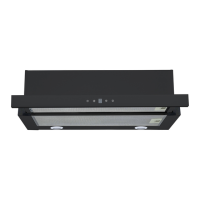
    What to do if Point Ventilation Hood inclines?
    • J
      James RobbinsSep 23, 2025
      If your Point Ventilation Hood inclines, it might be because the fixing screw isn't tight enough. Tighten the hanging screw to make the hood horizontal.
  • G
    Gerald BlankenshipAug 25, 2025
    Why does the point 5 Series stop heating suddenly and the display flashes?
    • A
      Adrian TapiaAug 25, 2025
      If heating stops suddenly and the display flashes, it could be due to the following reasons: the pan type is not correct, so use the proper pot as described in the instruction manual. Also, the unit may be overheated; in this case, wait for the temperature to return to normal and then push the “ON/OFF” button to restart the unit.
  • G
    Gary HerreraAug 25, 2025
    What to do if the Cooking Mode Indicator is on, but the point 5 Series isn't heating?
    • D
      David MillerAug 26, 2025
      If the Cooking Mode Indicator is illuminated but heating does not commence, it may be because the hob's temperature is too high, potentially due to a high ambient temperature or blocked air intake/vent. Another possibility is an issue with the fan; check if the fan runs smoothly and replace it if necessary. Lastly, the power board could be damaged, requiring replacement.
  • C
    Claudia ThompsonAug 27, 2025
    Why do heating zones on the same side of my Point Hob display a blank space?
    • K
      Krystal FarrellAug 27, 2025
      If heating zones on the same side display a blank space, check the connection between the power board and the display board. If the connection is correct, the display board of the communicate part or the main board might be damaged and need to be replaced. In the case of main board damage, replace the power board.
  • R
    Rebecca SchroederAug 27, 2025
    What does EF error mean on a Point Hob?
    • M
      Michael BerryAug 27, 2025
      The EF error code indicates that two or more keys have been triggered for an extended period. Cleaning the operation area may resolve this issue.
  • D
    Debra TorresSep 15, 2025
    How to fix lights not working on Point Ventilation Hood?
    • J
      Jennifer MaloneSep 15, 2025
      If the lights on your Point Ventilation Hood aren't working, the issue might be with the bulbs themselves. Try replacing the bulbs following the instructions provided.
  • A
    angeladiazSep 12, 2025
    What to do if my Microwave Oven cannot be started?
    • C
      Christina RoseSep 12, 2025
      If your Microwave Oven won't start, there are several potential causes: * Ensure the power cord is securely plugged in. Unplug it, wait 10 seconds, and plug it back in. * Check for a blown fuse or tripped circuit breaker. Replace the fuse or reset the breaker; this repair should be done by qualified personnel. * Test the outlet with another electrical appliance to rule out outlet issues.
  • M
    Mitchell DuncanSep 14, 2025
    Why my Microwave Oven does not heat?
    • R
      Rebekah HortonSep 14, 2025
      If your Microwave Oven isn't heating, the most likely cause is that the door isn't fully closed. Make sure the door is closed properly.
  • C
    Cody GonzalezSep 5, 2025
    What to do if my point 5 Series Hob displays error E1/E2?
    • K
      Kevin FoleySep 5, 2025
      If your Point Hob is showing an E1 or E2 error, it indicates an abnormal supply voltage. Inspect whether the power supply is normal. Once the power supply issue is resolved, power on the hob again.
  • M
    Mike AriasSep 2, 2025
    What does EL/EH error mean on a Point Hob?
    • A
      Alexander WongSep 3, 2025
      The EL/EH error code indicates an abnormal supply voltage. Power on the hob after the power supply returns to normal.

Summary

Operation and Maintenance

Electrical Shock Hazard

Safety precautions related to electrical shock during operation and maintenance.

Hot Surface Hazard

Warning about hot surfaces and precautions to avoid burns.

Operation of Product

Touch Controls

Instructions on how to properly use and interact with the touch-sensitive controls.

Choosing the Right Cookware

How to Use

Start Cooking

Step-by-step instructions on how to initiate the cooking process on the hob.

Using the Boost Function

Activate the Boost Function

Procedure for activating the power boost function for rapid heating.

Cancel the Boost Function

Instructions on how to deactivate the boost function and revert to normal settings.

Flexible Area

Special Function

Activate the Special Function

Guide to activating the three levels of special functions like keep warm, melting, and frying.

Locking the Controls

Timer Control

Using the Timer as a Minute Minder

How to use the timer as a minute minder without affecting cooking zones.

Using the Boiling Cue Control

Activate the Boiling Cue Function

Procedure for activating the boiling cue function to signal boiling water.

Heat Settings

Care and Cleaning

Failure Display and Inspection

Troubleshooting

Table listing common failure codes, their possible causes, and recommended solutions.

Cautions

Connecting the Hob to the Mains Power Supply

Detailed instructions for safely connecting the hob to the mains power supply.

point 5 Series Specifications

General IconGeneral
Fuel TypeGas
Number of Burners5
MaterialStainless Steel
Ignition TypeAutomatic
Gas TypeLPG

Related product manuals