21
GB
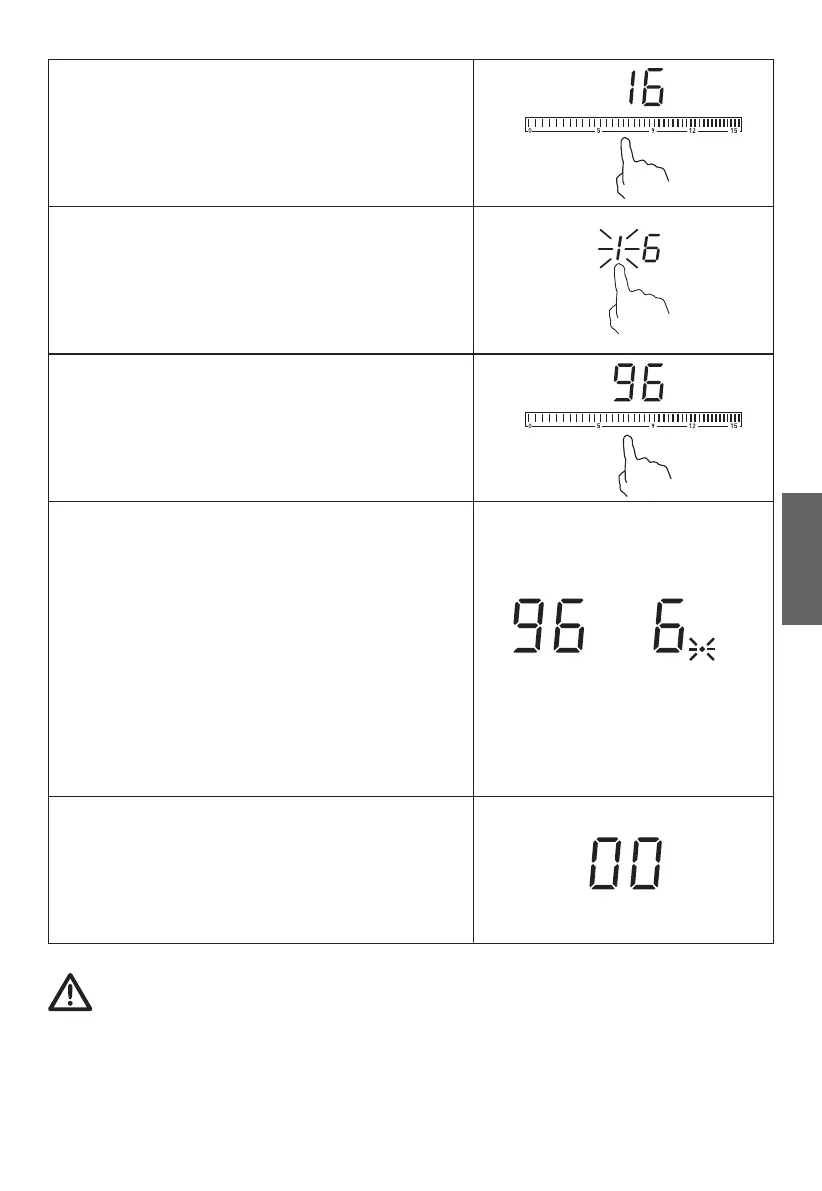
Set the time by touching the slider
control. (e.g. 6)
will flash.
Set the time by touching the slider
control (e.g.9), now the timer you set
is 96 minutes.
When the time is set, it will begin to
count down immediately. The display
will show the remaining time and the
NOTE: The red dot next to power level
indicator will illuminate indicating that
zone is selected.
When cooking timer expires, the
corresponding cooking zone will be
switched o automatically.
Other cooking zone will keep operating if they are turned on
previously.
timer indicator flashes for 5 seconds.
Touch timer control again, the “1”


 To Next Page