Rel. 03
31
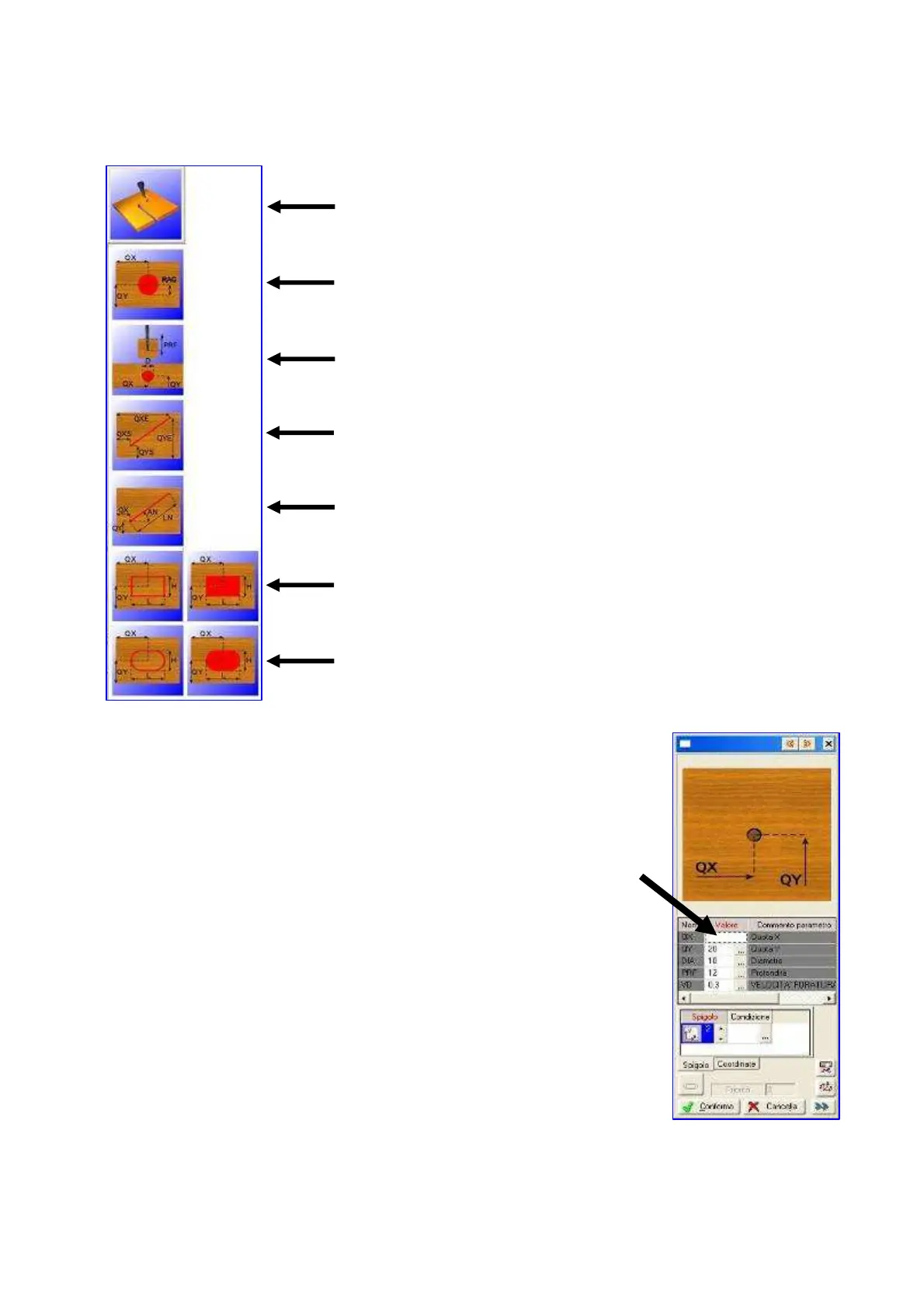
Click on this icon to view the “trimming main menu”
Circe complete
Circumference
Centre-tool trimming with dimension entering at the starting and
ending point
Centre-tool trimming with dimension entering at the starting point
and trimming length
Various geometries
Various geometries
Click on one of the icons listed above.
A window will open. The working drawing appears above with the
explaination of dimensions to be entered.
Then enter data in the column shown in the picture.
For vertical drilling speed must not exceed the value of 15
(m/min)
For horizontal drilling and trimming speed must not exceed the
value of 2 (m/min)
Then press “Confirm”
SETTING "QX" SEE THE FOLLOWING IMAGES
The following images are examples of drilling on the faces 1 - 3 - 0


 To Next Page