Rel. 03
43
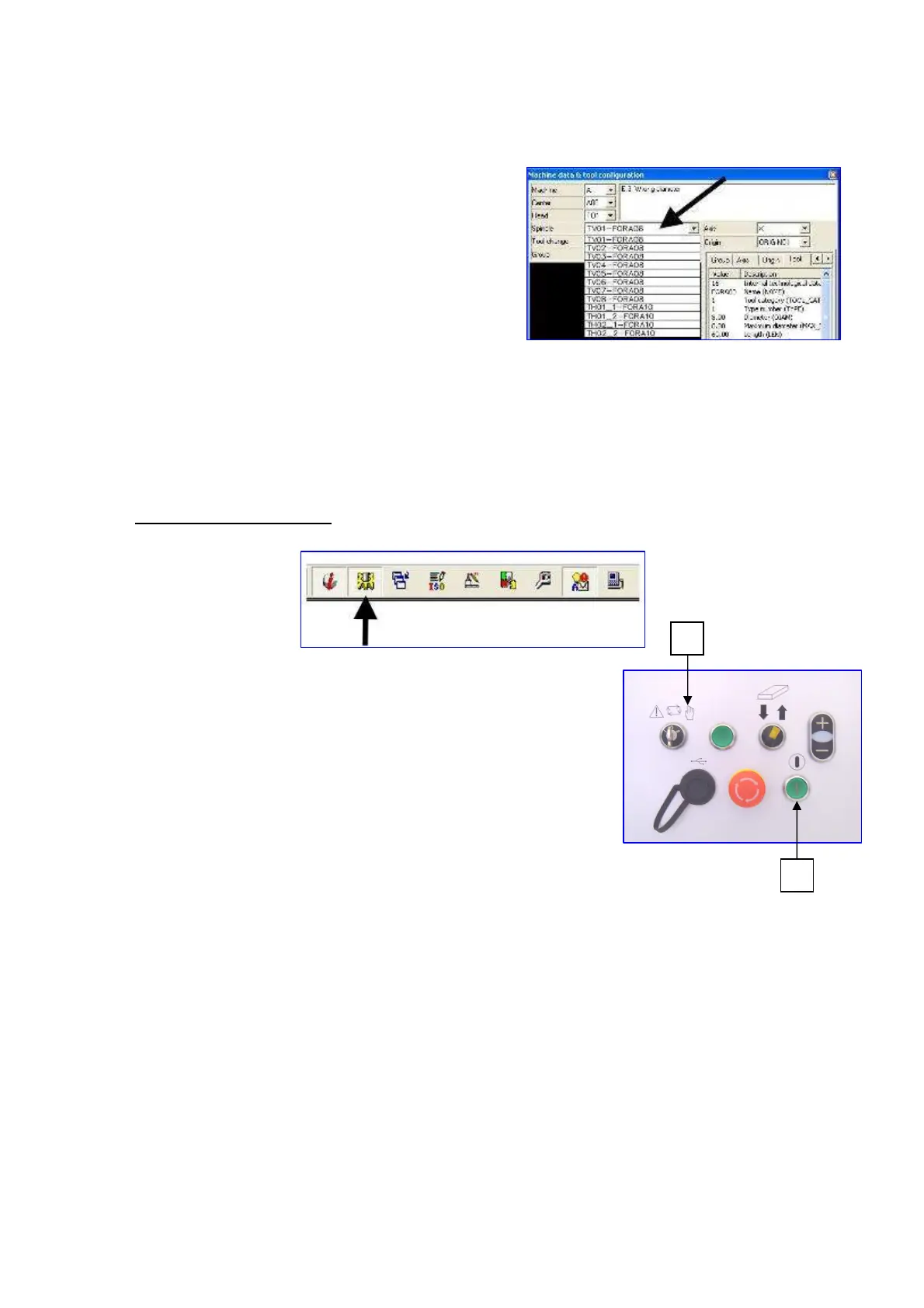
Select from the menu the head you wish to use for the
working.
In the upper right part of the picture the parameters
which are not consistent with the working are
displayed.
Then it is necessary to change the drawing or change those parameters which are not consistent
and which appear in the “Machine data Editor” section. To understand the failure reason, check the
“BLU LINE FAILURES” table in this chapter.
7.4 SOFTWARE FUNCTIONS
Press the button
Press the button n°2
Rotate selector n° 4 into “Manual” position (right position)
In order to check adjustments (mechanical and software) in this section, it is possible to control all
single operating units separately.
The following menu will appear in the upper part of the screen:
- “Reset”
- “Manual”
- “Semiautomatic”
- “Automatic”
- “Activations”
2
4


 To Next Page