Rel. 03
42
E.50 List
Serv error -
computing failed (#1)
During the working cycle one stroke is parallel to the front
stroke. Move the front stroke and update software position in
the“DIMENSIONS” table “Machine Data Editor” section
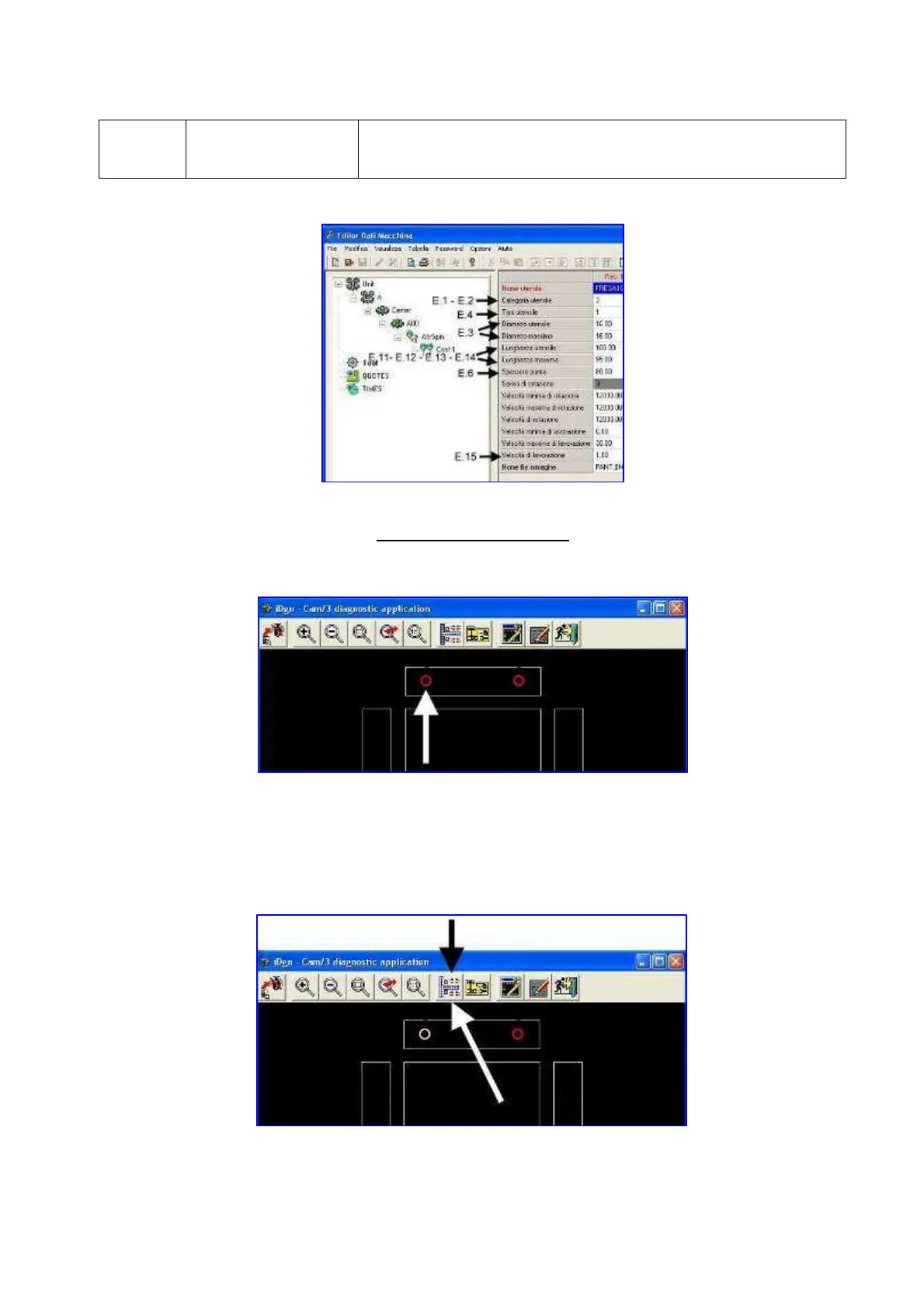
Here below are 1 screen summarizing the parameters to which failures refer to
“Tool” section
Failures display (CAM/3)
When values are not consistent, a screen similar to the following appears:
Click on the working cycles in red (in the upper picture it is pointed by the arrow)
Then the working cycle changes its colour.
Press the icon highlighted in the following picture.


 To Next Page