Rel. 03
44
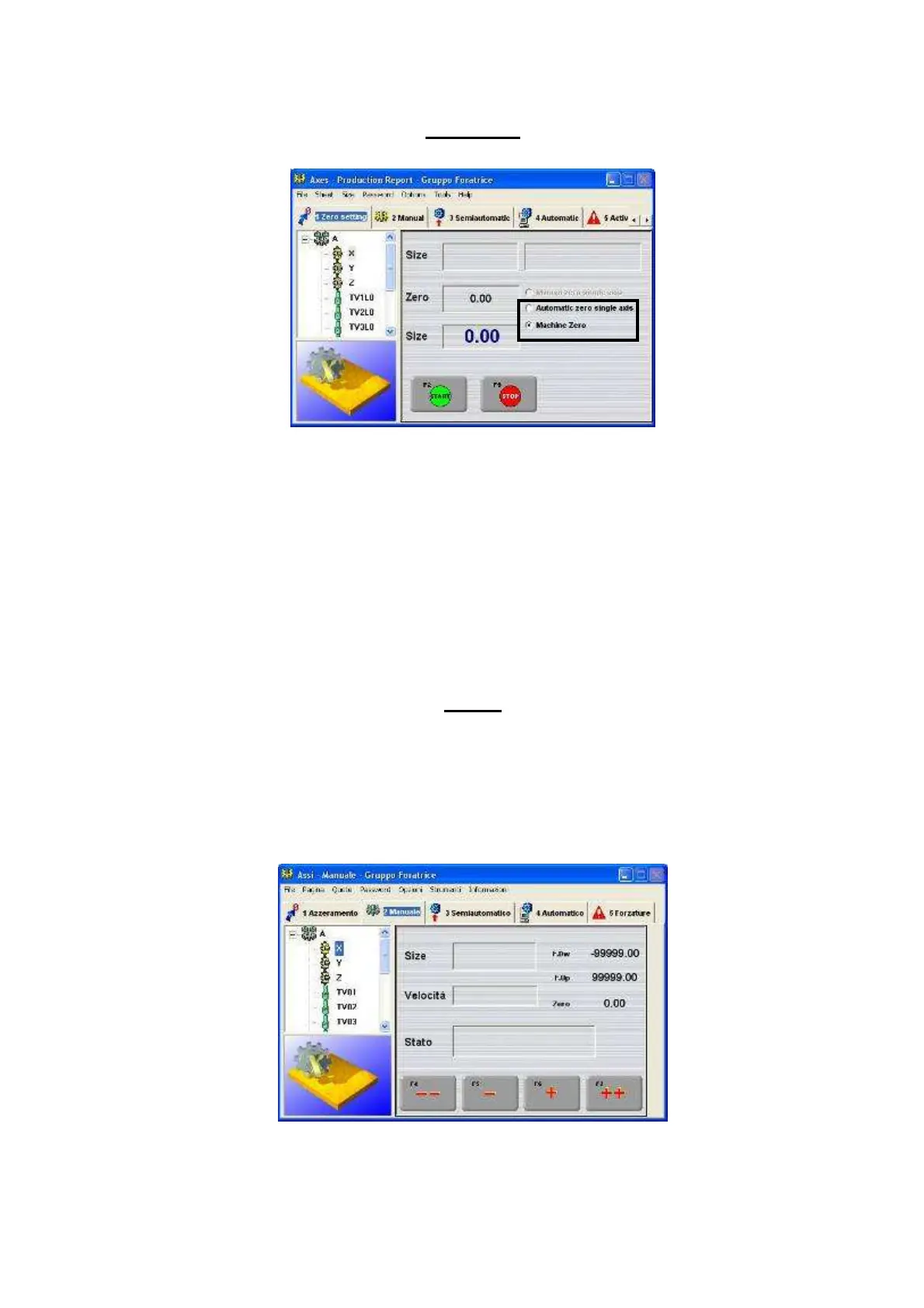
Zero setting
The existing functions are:
- Automatic axis resetting
1) Select axis in the left column
2) Select the central box in the area highlighted in the picture
3) Press “Start”
- Machine resetting
1) Select the lower box in the area highlighted in the picture
2) Press “Start”
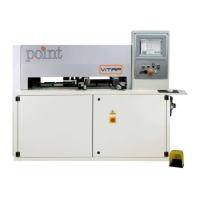
Manual
In this section it is possible to move the single machine axes by following the procedure here-
below:
1) Select the axis in the left column
2) Press one of the following 4 buttons “--“, “-“, “+” , “++” Please make sure
that no objects obstruct the movement of the axis.


 To Next Page